Faceted Navigation SEO: Stop Filter URLs Eating Your Crawl
Garage Collective
Agency
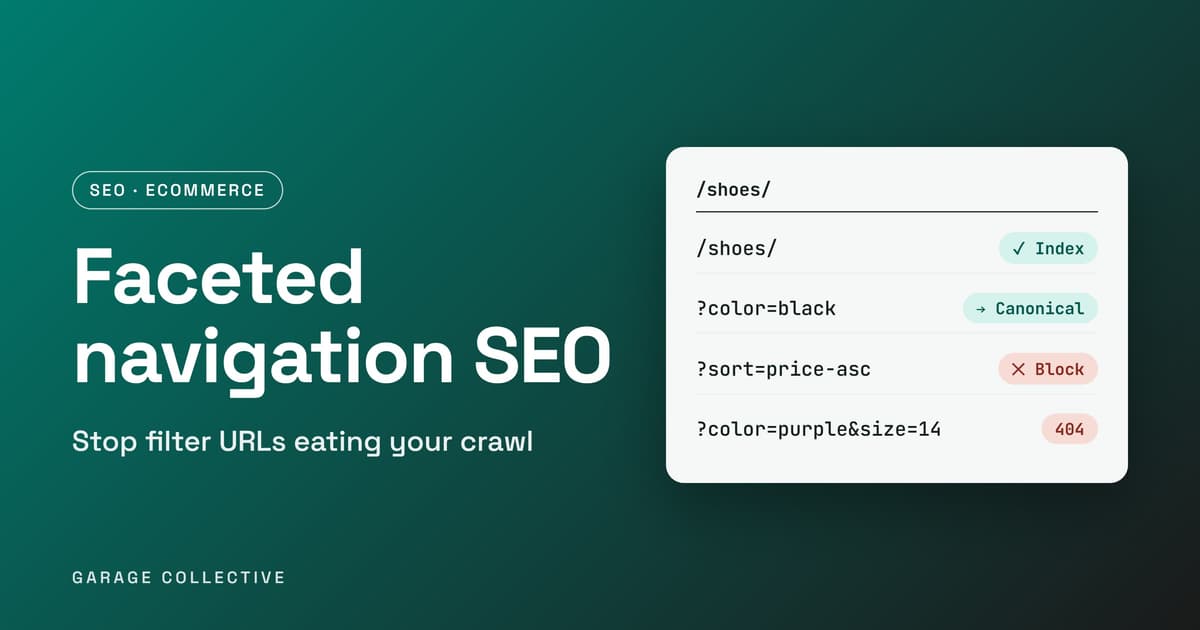
Picture a shoe category with 5 colours, 6 sizes, 4 price bands and 3 sort orders. Make every filter optional and that single page can show up as 6 × 7 × 5 × 4 = 840 different URLs. Run 60 categories like that and Googlebot is looking at roughly 50,000 URLs that all show the same shoes in a slightly different order. That is faceted navigation, and it is a quiet reason new product pages take so long to get crawled. Google's own documentation names the two costs: overcrawling, and slower discovery of new content. This guide covers which filtered pages deserve to rank, which ones to keep out of the crawl, and how to set canonicals, robots.txt rules and 404s without cancelling out your own work.
Why one category page turns into thousands of URLs
Filters, sort orders, view toggles and tracking parameters each create a URL that looks new to a crawler. A crawler cannot tell a URL is useless until it has fetched it, so Google can end up crawling plenty of low-value pages before it reaches the ones you care about. Google also notes that this can use up real server and rendering resources, and leaves less crawl time for new, useful pages. Here is what it looks like on a shoe store:
/shoes/ /shoes/?color=black /shoes/?color=black&size=9&sort=price-asc /shoes/?sort=price-asc&size=9&color=black
The last two URLs show the same products. Only the order of the parameters changed, and a crawler treats them as two different pages.
Decide first: which filtered pages should be allowed to rank
Before touching any code, sort your URLs into buckets. The last column is our editorial call, not a Google rule, so check it against your own Search Console data.
| URL type | Example | Our call |
|---|---|---|
| Main category | /shoes/ | Index, self-canonical |
| One filter with real search demand | /shoes/running/ | Index, with its own title and H1 |
| Sort, view or tracking parameters | ?sort=price-asc | Keep out of the crawl |
| Stacked filters | ?color=black&size=9&brand=x | Keep out of the crawl |
| Filter with no results | ?color=purple&size=14 | Return a 404 |
Route one: stop Google crawling filters you do not need
Google's documentation splits the fix in two. If you do not need filtered URLs in Search, you can prevent crawling. There are two ways to do it:
• robots.txt disallow. Block the parameter-based filter URLs, and keep the unfiltered listing page and the individual product pages crawlable.
• URL fragments. Put the filters after a # instead of in query parameters. Google generally ignores fragments for crawling and indexing.
A starting point for the robots.txt route. Test every pattern before you ship it, because one greedy rule can block pages you want:
User-agent: * Disallow: /*?*sort= Disallow: /*?*size= Disallow: /*?*color=
Google also warns that canonical and nofollow are generally less effective in the long run than robots.txt blocking or fragments. If crawl waste is your main problem, this route is the stronger one.
Route two: keep filtered pages crawlable and point them at a clean URL
Use this route for the filtered pages you want indexed. Google's list of ways to make crawling more efficient:
• Point filtered URLs at a less-filtered version with rel="canonical". This may reduce crawling of the non-canonical versions over time.
• Add rel="nofollow" to links pointing at filtered pages. It only works if every link to that URL carries it.
• Use the standard & to separate parameters. Commas, semicolons and brackets are often not recognised as separators.
• If filters sit in the URL path, keep their order fixed and block duplicate filters.
• Return a 404 for empty or nonsensical combinations and for pagination pages that do not exist. Do not redirect them to a generic not-found page.
One trap: do not stack both routes on the same URL. A page blocked in robots.txt cannot be fetched, so Google never sees the canonical tag on it. Google also says robots.txt is not a canonicalization tool, since a blocked URL can still be indexed without its content.
Backing up the URL you prefer The tag itself is one line in the head:
The rules from Google's guidance:
• Use an absolute URL, not a relative path.
• Give each page one canonical. Do not send different ones through different methods.
• Add a self-referencing canonical on the canonical page itself.
• Put it in the head, and use either the link element or the HTTP header, not both.
• Never use a URL fragment as the canonical.
• If JavaScript sets it, put it in the HTML source if you can, and do not let scripts change an existing canonical element.
• Link internally to the canonical URL every time, and keep your sitemap to canonical URLs.
And three things Google says not to use for canonicalization: robots.txt, the URL removal tool, and noindex. Noindex removes the page from Search entirely, which is not what you want for a duplicate whose signals you hoped to merge into another URL.
A 30-minute audit you can run this week
• Open the page indexing report in Search Console and look for URLs that contain a ? or an &.
• Crawl the site with any crawler and export every URL with a parameter. Count them against your real product count.
• Check your server logs for how often Googlebot requests parameter URLs compared with product pages.
• Open three filtered URLs, view source and read the canonical tag. Is it absolute, single and pointing where you expect?
• Load a filter combination that cannot return products. Does it give a real 404 status?
• Check that internal links and the XML sitemap only use clean, canonical URLs.
On Shopify, check what canonical your theme prints on filtered collection URLs rather than assuming it is right. For more on the store side, see our guides on Shopify development in Delhi NCR, AI-ready product feeds and AEO-ready website architecture.
FAQ
Should I add noindex to filtered pages?
Not as a way to handle duplicates. Google says noindex is not recommended for canonicalization because it removes the page from Search entirely. If you want the signals merged into a cleaner URL, use rel="canonical". If you never want the filtered URLs crawled at all, use the robots.txt or fragment route.
Is rel=canonical a command Google has to follow?
No. Google describes canonical annotations as signals. A rel="canonical" tag and a 301 redirect are both strong signals, a sitemap entry is a weak one, and Google can still pick a different URL if your signals disagree.
Should I use robots.txt or canonicals for filter URLs?
It depends on whether you need those URLs in Search. If you do not, block them or move the filters behind a #. If you do, keep them crawlable and use canonicals. Google adds that the first approach tends to work better in the long run.
What should a filter combination with no results return?
A 404 status on the requested URL. Google says not to redirect these to a generic not-found page.
Does Google crawl anything after the # in a URL?
Generally no. Google ignores URL fragments for crawling and indexing, which is why filters placed after a # do not create new crawlable pages.
Sources:
• Google: Managing crawling of faceted navigation URLs
• Google: Consolidate duplicate URLs and specify a canonical
Like what you're reading?
Get a free marketing plan tailored to your brand
Get Your Free Planyes, actually free. we're not kidding.
Key Takeaways
- Every optional filter multiplies your URLs. Five filters can turn one category into hundreds of near-identical pages.
- Google names two costs of faceted URLs: overcrawling and slower discovery of new content.
- Decide per page type: index the filters people search for, keep the rest out of the crawl.
- A canonical is a strong signal, not a command, so keep internal links and sitemaps pointing at the same URL.
- Return a real 404 for filter combinations with no results instead of an empty page or a redirect.
the TL;DR your boss will love
This Isn't Just Theory. We Do This Daily.
Let us show you exactly what we'd do for your brand - strategy, channels, budget, timeline. Free. No pitch deck.
Get Smarter Every Week
Ideas, data, and the occasional hot take. Biweekly, no spam.
we promise not to sell your email to robots
You Might Also Dig These
^ we picked these just for you (okay, the algorithm did)
Google's October 2026 AI Content Guidance: SEO and E-E-A-T Checklist
Google updated its guidance on generative AI content on 1 October 2026, aligning the documentation more closely with its Search Quality Rater Guidelines. The update does not create a special ranking system for AI-written pages. It sharpens the standard that matters: content should serve a clear audience, demonstrate real expertise and make factual claims easy to verify. For Indian marketing teams using AI at scale, the operational question is no longer whether AI may be used. It is whether every published page adds original value, accountable authorship and dependable evidence.
ReadIndia Festive Commerce Playbook 2026: D2C, Quick Commerce and Always-On Growth
India’s festive season remains a major commercial opportunity, but e-commerce demand is no longer limited to a few sale events. NIQ describes a market shaped by both habitual purchases and event-driven peaks, while Meta points to video-first discovery, creators and messaging-led commerce. A useful festive plan connects demand forecasting, channel roles, creative and customer experience from discovery through repeat purchase.
ReadUltimate Guide to AI-First Agency Month: Optimize Performance Marketing ROI Amid Rising Ad Costs in India
Struggling to keep up with rising ad costs and ever-changing Google and Meta algorithms? Indian marketers, startups, and D2C brands are feeling the pressure to scale smarter - not harder. Ready to cut through the noise and supercharge your performance marketing ROI? This guide reveals AI-first strategies, proprietary tools, and proven tactics to help you stay ahead and win big in India’s digital market.
Read