Gmail, Yahoo and Outlook Sender Rules: A 2026 Email Checklist
Ammar
AI Specialist
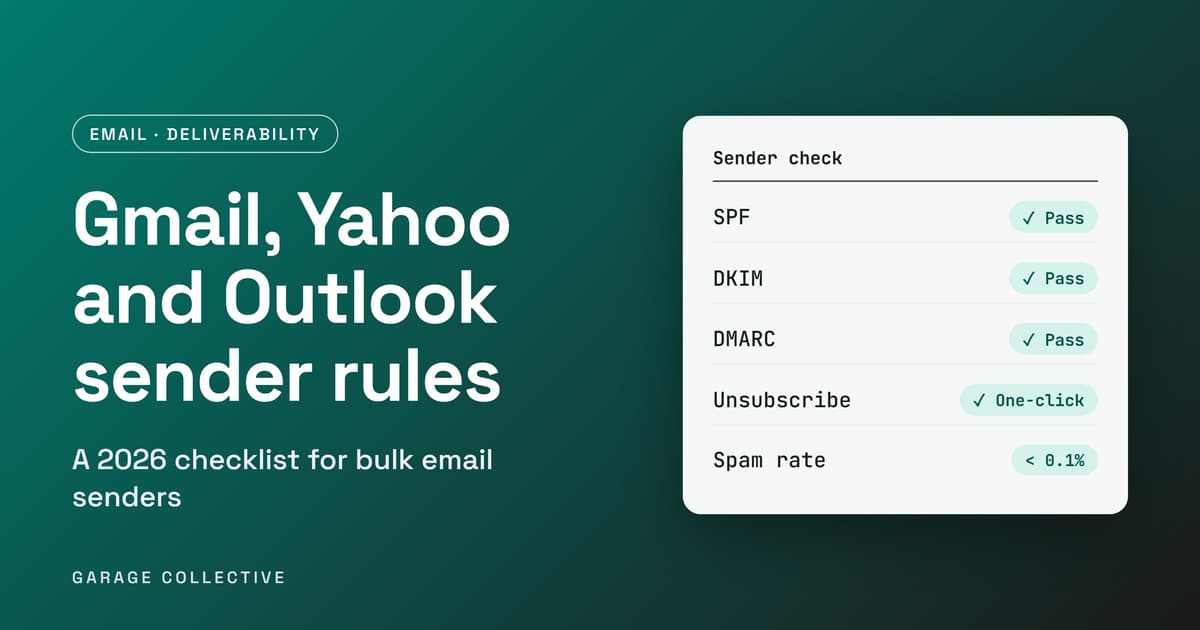
Your campaign looks fine in the dashboard. Sent: 50,000. Delivered: 50,000. Then the revenue does not show up, and nobody asks where the emails actually landed. Since 2024, Gmail and Yahoo have required bulk senders to prove who they are, make unsubscribing easy and keep spam complaints low. Outlook.com followed in 2025, and Gmail has been tightening enforcement since November 2025. Mail that fails is now junked or rejected, not just scored lower. This guide sets out what each provider asks for, how to set up SPF, DKIM and DMARC in the right order, and the mistakes that quietly sink Indian D2C and B2B senders.
Are you a bulk sender?
Probably, sooner than you think. Google defines a bulk sender as anyone who sends close to 5,000 or more messages to personal Gmail accounts within 24 hours. Mail from the same primary domain counts together, subdomains included, so a marketing subdomain does not reset the count. Two details catch people out. First, once you hit that threshold you stay a bulk sender permanently, even if your volume drops later. Second, the rules cover messages sent to personal Gmail accounts. Mail sent to Google Workspace accounts is not covered, but your sending still has to meet the rules because most Indian customer lists are full of personal Gmail addresses. Yahoo's own requirements page lists separate rules for all senders and for bulk senders but does not publish a volume number, so use Google's 5,000 as your planning line. Microsoft says its rules apply to domains sending 5,000 or more emails a day to Outlook.com consumer addresses, meaning outlook.com, hotmail.com and live.com.
What do Gmail, Yahoo and Outlook each require?
The three providers agree on the basics and differ on the details. Check the details against each provider's page before you ship, since they update them.
| Requirement | Gmail | Yahoo |
|---|---|---|
| SPF | Required for bulk senders | SPF or DKIM for all senders. Both for bulk |
| DKIM | Required for bulk senders | Signed with a key of at least 1024 bits |
| DMARC | Record with at least p=none | Record with at least p=none, and it must pass |
| From domain alignment | Must align with the SPF or DKIM domain | Must align with the SPF or DKIM domain |
| One-click unsubscribe | Required for marketing mail. Needs RFC 8058 List-Unsubscribe headers. Mailto alone and web links alone do not qualify | Required for bulk senders. POST method highly recommended, mailto accepted |
| Honour unsubscribes within | 48 hours | 2 days |
| Spam complaint rate | Keep under 0.1%, never reach 0.3% | Keep under 0.3% |
| Other | Valid forward and reverse DNS, TLS, RFC 5322 formatting | ARC for forwarded mail |
| What happens if you fail | Rejections (4.7.x temporary, 5.7.x blocked) or spam placement. Enforcement has been ramping up since November 2025 | Not stated on the page |
Google exempts transactional messages such as password resets from the one-click unsubscribe rule. Promotional and marketing mail is not exempt. A note on Outlook. Microsoft announced its requirements in 2025, with enforcement from 5 May 2025, and early coverage said failing mail would be sent to the Junk folder. Later guidance says non-compliant mail is rejected. Microsoft's help thread describes error 550 5.7.515 as a rejection for a sending domain that does not meet the required authentication level. Plan for rejection, not junk.
How do you set up SPF, DKIM and DMARC without breaking your email?
Do it in this order, and do not skip the audit.
• List every system that sends email as your domain. Most Indian businesses use more than one: the email marketing tool, the Google Workspace or Microsoft 365 mailboxes, the CRM, the invoicing or order system, the helpdesk and the website forms. Each one has to be authenticated or it will fail DMARC.
• Publish SPF. SPF is a DNS TXT record listing the servers allowed to send for your domain. Keep one SPF record only. A second one makes both invalid. SPF is also limited to 10 DNS lookups, so a long chain of include entries from many tools can break it.
• Turn on DKIM in every sending tool. DKIM signs each message with a key published in your DNS. Use the key length your tool recommends, with at least 1024 bits as Yahoo requires. Check that the signing domain matches your From domain, because a DKIM pass on the tool's domain does not align with yours.
• Publish DMARC at p=none first. A starting record looks like this, with your own mailbox in the rua tag:
_dmarc.yourdomain.com TXT "v=DMARC1; p=none; rua=mailto:dmarc-reports@yourdomain.com"
• Read the reports for two to four weeks. The rua reports show who is sending as your domain and whether they pass. Fix every legitimate sender that fails. Anything you do not recognise is a spoofing attempt or a forgotten tool.
• Tighten the policy only when the reports are clean. Move to quarantine, then reject. This part is good practice, not a Gmail, Yahoo or Outlook requirement, since all three accept p=none. It does protect your brand from being spoofed, so it is worth finishing.
Test a few messages to a Gmail address, then use Show original to confirm SPF, DKIM and DMARC all say PASS.
What does one-click unsubscribe actually mean?
It means your messages carry two headers that let Gmail and Yahoo show their own Unsubscribe button, which removes the person with a single request and no login or form. The headers follow RFC 8058:
List-Unsubscribe:
Most email platforms add these for you. Confirm it in a test message rather than assuming. Keep a visible unsubscribe link in the body as well, and process requests within the time limits in the table above. A person who cannot find the unsubscribe button will hit Report spam instead, which damages the number you care about most.
How low does your spam rate have to be?
Google's guidance is to keep the user-reported spam rate under 0.1% and never let it reach 0.3%. At 0.3% or above you lose eligibility for mitigation, and you get it back only after seven consecutive days below 0.3%. Yahoo uses 0.3% as its line and calculates the rate using only mail delivered to the inbox. In plain numbers, 0.1% is one complaint per 1,000 inbox messages. On 100,000 inbox messages, 100 complaints puts you at the 0.1% line and 300 hits the 0.3% limit. Watch it in Google Postmaster Tools, which also shows whether Gmail sees you as compliant. Verify your domain there before you need it. The levers that move the rate are boring and effective: send only to people who opted in, use a clear sender name, match the content to what people signed up for, stop sending to non-openers after a set period, and make unsubscribing easier than reporting spam. India's DPDP rules also expect clear consent, which supports the same habits. Our guide to DPDP rules for Indian marketing covers the consent side.
What should you do this week?
• Make a list of every tool that sends email as your domain.
• Look up your current SPF, DKIM and DMARC records, and fix what is missing.
• Send a test to Gmail and check for three PASS results.
• Verify your domain in Google Postmaster Tools.
• Confirm that marketing emails carry the one-click unsubscribe headers.
• Look at your complaint and unsubscribe numbers by campaign, and pause the worst segments.
• Set a calendar reminder to read your DMARC reports monthly.
If email is one channel among several, our WhatsApp commerce funnel guide for Indian D2C shows how it fits alongside messaging.
Frequently Asked Questions
Do these rules apply if I send fewer than 5,000 emails a day?
Partly. Google and Yahoo list baseline requirements for all senders, including authentication with SPF or DKIM and a spam rate under 0.3%. The full set, including one-click unsubscribe and DMARC, applies to bulk senders. Since one busy campaign can push you over the line, build to the bulk standard from the start.
Is p=none enough for DMARC?
For Gmail, Yahoo and Outlook.com it meets the stated minimum, as long as the message passes DMARC through an aligned SPF or DKIM check. It does not stop others spoofing your domain. Moving to quarantine and then reject is the step that protects your brand.
Do transactional emails need a one-click unsubscribe?
Google exempts transactional messages such as password resets from that rule, and it applies to marketing and promotional mail. Keep the two types clearly separate, and do not put promotions inside transactional emails.
Will a separate subdomain for marketing fix everything?
No. It lets you keep marketing reputation apart from your main mail, which is a good idea. But Google counts subdomain volume toward the primary domain's bulk sender total, and each sending domain still needs its own authentication.
Where do I see whether Gmail thinks my mail is compliant?
In Google Postmaster Tools, once you verify your sending domain. Google says senders can check their compliance there. It also shows your spam rate over time.
What does error 550 5.7.515 mean?
It is a bounce from Outlook.com or related Microsoft consumer services saying your sending domain does not meet the required authentication level. Check that SPF, DKIM and DMARC pass and align for the domain in your From address, then resend.
Sources
• Google: email sender guidelines FAQ
• Yahoo: sender requirements and best practices
• dmarcian: Microsoft enforces SPF, DKIM and DMARC
• Petri: Microsoft Outlook to enforce stricter email authentication rules
Like what you're reading?
Get a free marketing plan tailored to your brand
Get Your Free Planyes, actually free. we're not kidding.
Key Takeaways
- If you send about 5,000 or more emails a day to Gmail, you are a bulk sender for good, and Yahoo and Outlook.com have their own rules.
- All three providers expect SPF, DKIM and a DMARC record of at least p=none, with your From domain aligned to a passing SPF or DKIM check.
- Marketing email needs one-click unsubscribe headers (RFC 8058) and a visible unsubscribe link. Honour requests within 2 days.
- Keep spam complaints under 0.1% and never reach 0.3%, and track them in Google Postmaster Tools.
- Audit every tool that sends as your domain before you tighten DMARC. Move from none to quarantine to reject once the reports are clean.
the TL;DR your boss will love
This Isn't Just Theory. We Do This Daily.
Let us show you exactly what we'd do for your brand - strategy, channels, budget, timeline. Free. No pitch deck.
Get Smarter Every Week
Ideas, data, and the occasional hot take. Biweekly, no spam.
we promise not to sell your email to robots
You Might Also Dig These
^ we picked these just for you (okay, the algorithm did)
Google's October 2026 AI Content Guidance: SEO and E-E-A-T Checklist
Google updated its guidance on generative AI content on 1 October 2026, aligning the documentation more closely with its Search Quality Rater Guidelines. The update does not create a special ranking system for AI-written pages. It sharpens the standard that matters: content should serve a clear audience, demonstrate real expertise and make factual claims easy to verify. For Indian marketing teams using AI at scale, the operational question is no longer whether AI may be used. It is whether every published page adds original value, accountable authorship and dependable evidence.
ReadIndia Festive Commerce Playbook 2026: D2C, Quick Commerce and Always-On Growth
India’s festive season remains a major commercial opportunity, but e-commerce demand is no longer limited to a few sale events. NIQ describes a market shaped by both habitual purchases and event-driven peaks, while Meta points to video-first discovery, creators and messaging-led commerce. A useful festive plan connects demand forecasting, channel roles, creative and customer experience from discovery through repeat purchase.
ReadUltimate Guide to AI-First Agency Month: Optimize Performance Marketing ROI Amid Rising Ad Costs in India
Struggling to keep up with rising ad costs and ever-changing Google and Meta algorithms? Indian marketers, startups, and D2C brands are feeling the pressure to scale smarter - not harder. Ready to cut through the noise and supercharge your performance marketing ROI? This guide reveals AI-first strategies, proprietary tools, and proven tactics to help you stay ahead and win big in India’s digital market.
Read