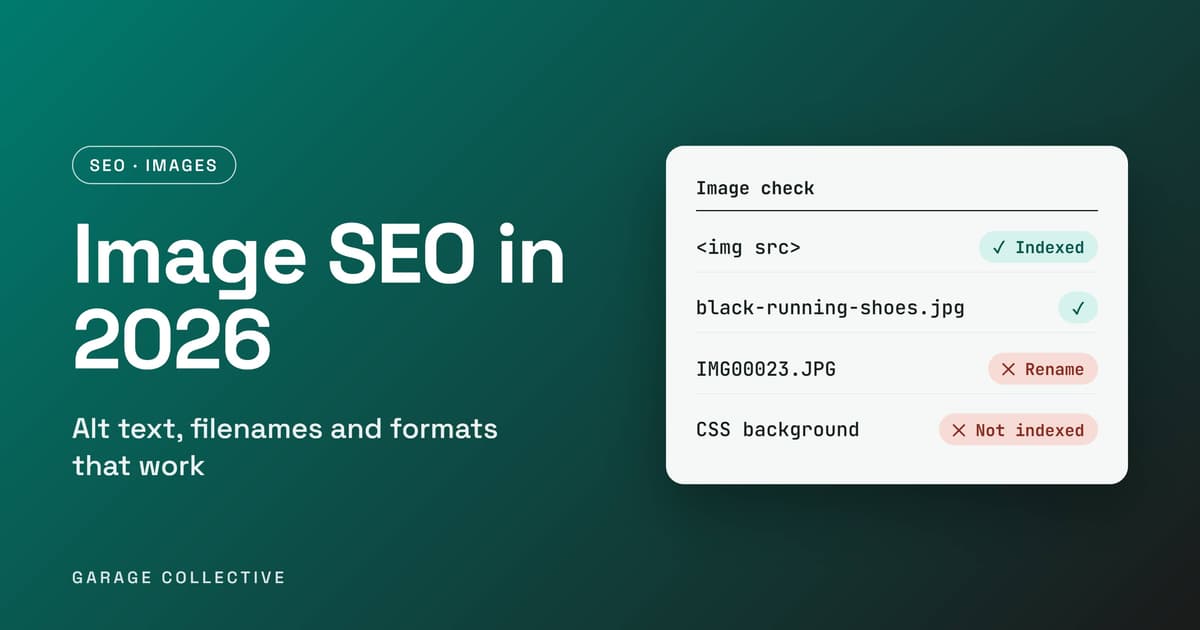
Here is a fact that surprises a lot of store owners: Google does not index CSS background images. If your product photos are set as backgrounds on a div, they are invisible to Google Images no matter how good they look. And if the ones that do get indexed are named IMG00023.JPG with no alt text, Google has very little to go on. Google's image guidance is short and specific, and most of it can be fixed in an afternoon. This post turns it into a checklist: how to mark up images so Google can find them, what to write in alt text and filenames, which formats are supported, and how to check your own pages.
Rule one: use real img elements
Google finds images in the src attribute of an ![]() element, including when the tag sits inside a element. It does not index CSS background images. Putting your product photo in a div background is a poor choice, and a plain
![]() is the recommended form.

This is the first thing to check on carousels, hero sections and product galleries built with scripts or page builders.
Rule two: write alt text like you mean it
Google calls alt text the most important metadata for an image. It helps accessibility, helps Google understand the image, and acts as anchor text if the image is a link. Google's own examples show the ladder:
| Quality | Example | Why |
|---|
| Bad | (no alt attribute) | Google and screen readers get nothing |
| Bad | puppy dog baby dog pup puppies | Keyword stuffing, which can be seen as spam |
| Better | puppy | Accurate but thin |
| Best | Dalmatian puppy playing fetch | Specific, descriptive and in context |
For a store, the same logic gives you "Black mesh running shoes for men, side view" instead of "shoes". For an inline SVG, Google says to use a
element for the accessible name.</p></div><div id="rule-three-name-files-for-humans" data-section="true" class="mb-8" style="opacity:0;transform:translateY(20px)"><h2 class="text-xl md:text-2xl font-bold text-[#0A0A0A] mb-3" style="font-family:var(--font-nunito)">Rule three: name files for humans</h2><p class="text-gray-600 leading-relaxed mb-3 text-sm md:text-base">Google recommends short, descriptive filenames. my-new-black-kitten.jpg is better than IMG00023.JPG, and generic names like image1.jpg are best avoided. If you localise a page, translate the filenames too. If your product photos come off a camera or a supplier's drive, rename them in bulk before you upload.</p></div><div id="rule-four-put-images-next-to-the-words-that-explain-them" data-section="true" class="mb-8" style="opacity:0;transform:translateY(20px)"><h2 class="text-xl md:text-2xl font-bold text-[#0A0A0A] mb-3" style="font-family:var(--font-nunito)">Rule four: put images next to the words that explain them</h2><p class="text-gray-600 leading-relaxed mb-3 text-sm md:text-base">Google uses the content around an image, including captions and image titles, to understand it. Place an image near text on a page that matches its subject. A product photo on a product page with a clear heading and description does this by default. A photo dropped onto an unrelated page does not.</p></div><div id="formats-size-and-speed" data-section="true" class="mb-8" style="opacity:0;transform:translateY(20px)"><h2 class="text-xl md:text-2xl font-bold text-[#0A0A0A] mb-3" style="font-family:var(--font-nunito)">Formats, size and speed</h2><p class="text-gray-600 leading-relaxed mb-3 text-sm md:text-base">Google supports BMP, GIF, JPEG, PNG, WebP, SVG and AVIF, and says the file extension should match the real file type. It does not name a winner among them. Images are often the largest share of a page's weight, so compress them and check the page in PageSpeed Insights. Sharp images also look better as thumbnails. Data URIs are allowed, but Google warns they can noticeably increase page size, so use them sparingly. Slow images also hurt your Core Web Vitals, which we cover in our guide to passing LCP, INP and CLS.</p></div><div id="responsive-images-always-keep-a-fallback" data-section="true" class="mb-8" style="opacity:0;transform:translateY(20px)"><h2 class="text-xl md:text-2xl font-bold text-[#0A0A0A] mb-3" style="font-family:var(--font-nunito)">Responsive images: always keep a fallback</h2><p class="text-gray-600 leading-relaxed mb-3 text-sm md:text-base">You can serve different sizes with srcset and sizes on the img element, or with the <picture> element and <source> children. Google's one firm rule is to always include an img element with a src attribute as a fallback, because some browsers and crawlers do not understand srcset or <picture>.</p><p class="text-gray-600 leading-relaxed mb-3 text-sm md:text-base"><img
src="black-running-shoes-800.jpg"
srcset="black-running-shoes-400.jpg 400w, black-running-shoes-800.jpg 800w"
sizes="(max-width: 600px) 400px, 800px"
alt="Black mesh running shoes for men, side view" /></p></div><div id="image-sitemaps-and-cdns" data-section="true" class="mb-8" style="opacity:0;transform:translateY(20px)"><h2 class="text-xl md:text-2xl font-bold text-[#0A0A0A] mb-3" style="font-family:var(--font-nunito)">Image sitemaps and CDNs</h2><p class="text-gray-600 leading-relaxed mb-3 text-sm md:text-base">An image sitemap can surface images Google might not otherwise find. It can list image URLs hosted on other domains, so a CDN works. If you use a CDN, Google says to verify its domain in Search Console so you can see any crawl errors.</p></div><div id="structured-data-for-images" data-section="true" class="mb-8" style="opacity:0;transform:translateY(20px)"><h2 class="text-xl md:text-2xl font-bold text-[#0A0A0A] mb-3" style="font-family:var(--font-nunito)">Structured data for images</h2><p class="text-gray-600 leading-relaxed mb-3 text-sm md:text-base">Adding structured data can make images eligible for a badge and rich results in Google Images. The image property is required for eligibility, and you need to follow both the general and the type-specific guidelines. If you already add Product markup, check that its image property points at a real, crawlable image.</p></div><div id="a-20-minute-image-audit" data-section="true" class="mb-8" style="opacity:0;transform:translateY(20px)"><h2 class="text-xl md:text-2xl font-bold text-[#0A0A0A] mb-3" style="font-family:var(--font-nunito)">A 20-minute image audit</h2><p class="text-gray-600 leading-relaxed mb-3 text-sm md:text-base">• Open your top three product or landing pages and view the source. Is each key image an <img> element, not a CSS background?</p><p class="text-gray-600 leading-relaxed mb-3 text-sm md:text-base">• Check the alt text on those images. Is it missing, stuffed, or thin?</p><p class="text-gray-600 leading-relaxed mb-3 text-sm md:text-base">• Look at the filenames. Rename any that look like IMG_4821.jpg or image1.jpg.</p><p class="text-gray-600 leading-relaxed mb-3 text-sm md:text-base">• Confirm every responsive image has a plain src fallback.</p><p class="text-gray-600 leading-relaxed mb-3 text-sm md:text-base">• Run a key page through PageSpeed Insights and note the heaviest images.</p><p class="text-gray-600 leading-relaxed mb-3 text-sm md:text-base">• If your images live on a CDN, confirm its domain is verified in Search Console.</p><p class="text-gray-600 leading-relaxed mb-3 text-sm md:text-base">If you sell online, our guides on Shopify development for Delhi NCR brands and AI-ready product feeds are good next reads.</p></div><div id="faq" data-section="true" class="mb-8" style="opacity:0;transform:translateY(20px)"><h2 class="text-xl md:text-2xl font-bold text-[#0A0A0A] mb-3" style="font-family:var(--font-nunito)">FAQ</h2></div><div id="does-google-index-css-background-images" data-section="true" class="mb-8" style="opacity:0;transform:translateY(20px)"><h2 class="text-xl md:text-2xl font-bold text-[#0A0A0A] mb-3" style="font-family:var(--font-nunito)">Does Google index CSS background images?</h2><p class="text-gray-600 leading-relaxed mb-3 text-sm md:text-base">No. Google finds images in the src attribute of img elements, including inside picture elements. A background set in CSS is not indexed.</p></div><div id="how-long-should-alt-text-be" data-section="true" class="mb-8" style="opacity:0;transform:translateY(20px)"><h2 class="text-xl md:text-2xl font-bold text-[#0A0A0A] mb-3" style="font-family:var(--font-nunito)">How long should alt text be?</h2><p class="text-gray-600 leading-relaxed mb-3 text-sm md:text-base">Google gives no length. Its guidance is to be specific, descriptive and in context, and to avoid keyword stuffing. "Dalmatian puppy playing fetch" is its example of best.</p></div><div id="which-image-format-should-i-use" data-section="true" class="mb-8" style="opacity:0;transform:translateY(20px)"><h2 class="text-xl md:text-2xl font-bold text-[#0A0A0A] mb-3" style="font-family:var(--font-nunito)">Which image format should I use?</h2><p class="text-gray-600 leading-relaxed mb-3 text-sm md:text-base">Google supports BMP, GIF, JPEG, PNG, WebP, SVG and AVIF, and does not pick a favourite. Compress whatever you use and keep the file extension consistent with the real file type.</p></div><div id="do-filenames-matter" data-section="true" class="mb-8" style="opacity:0;transform:translateY(20px)"><h2 class="text-xl md:text-2xl font-bold text-[#0A0A0A] mb-3" style="font-family:var(--font-nunito)">Do filenames matter?</h2><p class="text-gray-600 leading-relaxed mb-3 text-sm md:text-base">Google recommends short, descriptive filenames and gives my-new-black-kitten.jpg as better than IMG00023.JPG. Avoid generic names such as image1.jpg.</p></div><div id="do-i-need-an-image-sitemap" data-section="true" class="mb-8" style="opacity:0;transform:translateY(20px)"><h2 class="text-xl md:text-2xl font-bold text-[#0A0A0A] mb-3" style="font-family:var(--font-nunito)">Do I need an image sitemap?</h2><p class="text-gray-600 leading-relaxed mb-3 text-sm md:text-base">It is not required, but Google says image sitemaps can surface images it might not otherwise find, and they can list images hosted on a CDN.</p></div><div id="sources" data-section="true" class="mb-8" style="opacity:0;transform:translateY(20px)"><h2 class="text-xl md:text-2xl font-bold text-[#0A0A0A] mb-3" style="font-family:var(--font-nunito)">Sources:</h2><p class="text-gray-600 leading-relaxed mb-3 text-sm md:text-base">• <a href="https://support.google.com/webmasters/answer/114016" target="_blank" rel="noopener noreferrer">Google Search Central: Image SEO best practices</a></p></div><div class="bg-[#0A0A0A] rounded-xl p-6 md:p-8 mb-8 text-center" style="opacity:0;transform:translateY(20px)"><h3 class="text-xl md:text-2xl font-bold text-white mb-2" style="font-family:var(--font-nunito)">Like what you're reading?</h3><p class="text-gray-400 mb-4 max-w-md mx-auto text-sm">Get a free marketing plan tailored to your brand</p><a class="inline-flex items-center gap-2 bg-[#007B6E] text-white px-6 py-2.5 rounded-xl hover:bg-[#00A896] transition-colors font-semibold" href="/free-plan">Get Your Free Plan<svg xmlns="http://www.w3.org/2000/svg" width="24" height="24" viewBox="0 0 24 24" fill="none" stroke="currentColor" stroke-width="2" stroke-linecap="round" stroke-linejoin="round" class="lucide lucide-arrow-right w-4 h-4" aria-hidden="true"><path d="M5 12h14"></path><path d="m12 5 7 7-7 7"></path></svg></a><p class="text-[#F5C842] mt-3 text-sm" style="font-family:var(--font-caveat)">yes, actually free. we're not kidding.</p></div><div class="bg-[#F0FAF9] rounded-xl p-6 md:p-8 border-l-4 border-[#007B6E] mb-8" style="opacity:0;transform:translateY(20px)"><div class="flex items-center gap-2 mb-4"><svg xmlns="http://www.w3.org/2000/svg" width="24" height="24" viewBox="0 0 24 24" fill="none" stroke="currentColor" stroke-width="2" stroke-linecap="round" stroke-linejoin="round" class="lucide lucide-sparkles w-5 h-5 text-[#007B6E]" aria-hidden="true"><path d="M11.017 2.814a1 1 0 0 1 1.966 0l1.051 5.558a2 2 0 0 0 1.594 1.594l5.558 1.051a1 1 0 0 1 0 1.966l-5.558 1.051a2 2 0 0 0-1.594 1.594l-1.051 5.558a1 1 0 0 1-1.966 0l-1.051-5.558a2 2 0 0 0-1.594-1.594l-5.558-1.051a1 1 0 0 1 0-1.966l5.558-1.051a2 2 0 0 0 1.594-1.594z"></path><path d="M20 2v4"></path><path d="M22 4h-4"></path><circle cx="4" cy="20" r="2"></circle></svg><h3 class="text-lg md:text-xl font-bold text-[#0A0A0A]" style="font-family:var(--font-nunito)">Key Takeaways</h3></div><ul class="space-y-2"><li class="flex items-start gap-3"><svg xmlns="http://www.w3.org/2000/svg" width="24" height="24" viewBox="0 0 24 24" fill="none" stroke="currentColor" stroke-width="2" stroke-linecap="round" stroke-linejoin="round" class="lucide lucide-check w-5 h-5 text-[#007B6E] mt-0.5 shrink-0" aria-hidden="true"><path d="M20 6 9 17l-5-5"></path></svg><span class="text-gray-700">• Google indexes images in <img> elements, not CSS backgrounds. </span></li><li class="flex items-start gap-3"><svg xmlns="http://www.w3.org/2000/svg" width="24" height="24" viewBox="0 0 24 24" fill="none" stroke="currentColor" stroke-width="2" stroke-linecap="round" stroke-linejoin="round" class="lucide lucide-check w-5 h-5 text-[#007B6E] mt-0.5 shrink-0" aria-hidden="true"><path d="M20 6 9 17l-5-5"></path></svg><span class="text-gray-700">• Alt text is the most important image metadata: be specific and descriptive, never stuffed.</span></li><li class="flex items-start gap-3"><svg xmlns="http://www.w3.org/2000/svg" width="24" height="24" viewBox="0 0 24 24" fill="none" stroke="currentColor" stroke-width="2" stroke-linecap="round" stroke-linejoin="round" class="lucide lucide-check w-5 h-5 text-[#007B6E] mt-0.5 shrink-0" aria-hidden="true"><path d="M20 6 9 17l-5-5"></path></svg><span class="text-gray-700">• Use short, descriptive filenames instead of camera names like IMG00023.JPG.</span></li><li class="flex items-start gap-3"><svg xmlns="http://www.w3.org/2000/svg" width="24" height="24" viewBox="0 0 24 24" fill="none" stroke="currentColor" stroke-width="2" stroke-linecap="round" stroke-linejoin="round" class="lucide lucide-check w-5 h-5 text-[#007B6E] mt-0.5 shrink-0" aria-hidden="true"><path d="M20 6 9 17l-5-5"></path></svg><span class="text-gray-700">• Always keep an <img src> fallback when you use srcset or <picture>.</span></li><li class="flex items-start gap-3"><svg xmlns="http://www.w3.org/2000/svg" width="24" height="24" viewBox="0 0 24 24" fill="none" stroke="currentColor" stroke-width="2" stroke-linecap="round" stroke-linejoin="round" class="lucide lucide-check w-5 h-5 text-[#007B6E] mt-0.5 shrink-0" aria-hidden="true"><path d="M20 6 9 17l-5-5"></path></svg><span class="text-gray-700">• Add an image sitemap if Google may miss images, and verify your CDN domain in Search Console.</span></li></ul><p class="text-[#007B6E] mt-4 text-sm" style="font-family:var(--font-caveat)">the TL;DR your boss will love</p></div></div></div></div></section><section class="bg-[#0A0A0A] py-14" style="opacity:0;transform:translateY(20px)"><div class="max-w-3xl mx-auto px-6 text-center"><h2 class="text-2xl md:text-3xl font-bold text-white mb-3" style="font-family:var(--font-nunito)">This Isn't Just Theory. We Do This Daily.</h2><p class="text-gray-400 text-base mb-6 max-w-xl mx-auto">Let us show you exactly what we'd do for your brand - strategy, channels, budget, timeline. Free. No pitch deck.</p><div class="flex flex-col sm:flex-row items-center justify-center gap-4"><a class="inline-flex items-center gap-2 bg-[#007B6E] text-white px-6 py-3 rounded-xl hover:bg-[#00A896] transition-colors font-semibold" href="/free-plan">Get Your Free Plan<svg xmlns="http://www.w3.org/2000/svg" width="24" height="24" viewBox="0 0 24 24" fill="none" stroke="currentColor" stroke-width="2" stroke-linecap="round" stroke-linejoin="round" class="lucide lucide-arrow-right w-4 h-4" aria-hidden="true"><path d="M5 12h14"></path><path d="m12 5 7 7-7 7"></path></svg></a><a class="text-gray-400 hover:text-white transition-colors underline underline-offset-4" href="/contact">or just say hi</a></div></div></section><section class="bg-[#F0FAF9] py-10" style="opacity:0;transform:translateY(20px)"><div class="max-w-2xl mx-auto px-6 text-center"><svg xmlns="http://www.w3.org/2000/svg" width="24" height="24" viewBox="0 0 24 24" fill="none" stroke="currentColor" stroke-width="2" stroke-linecap="round" stroke-linejoin="round" class="lucide lucide-mail w-8 h-8 text-[#007B6E] mx-auto mb-3" aria-hidden="true"><path d="m22 7-8.991 5.727a2 2 0 0 1-2.009 0L2 7"></path><rect x="2" y="4" width="20" height="16" rx="2"></rect></svg><h2 class="text-xl md:text-2xl font-bold text-[#0A0A0A] mb-2" style="font-family:var(--font-nunito)">Get Smarter Every Week</h2><p class="text-gray-600 mb-4 text-sm">Ideas, data, and the occasional hot take. Biweekly, no spam.</p><form class="flex flex-col sm:flex-row gap-3 max-w-md mx-auto"><input type="email" placeholder="you@company.com" required="" class="flex-1 px-4 py-3 rounded-xl border border-gray-300 text-gray-800 placeholder-gray-400 focus:outline-none focus:ring-2 focus:ring-[#007B6E] focus:border-transparent disabled:opacity-50" value=""/><button type="submit" class="bg-[#007B6E] text-white px-6 py-3 rounded-xl hover:bg-[#00A896] transition-colors font-semibold whitespace-nowrap disabled:opacity-60">Subscribe</button></form><p class="text-[#007B6E] mt-3 text-sm" style="font-family:var(--font-caveat)">we promise not to sell your email to robots</p></div></section><section class="bg-white py-14" style="opacity:0;transform:translateY(20px)"><div class="max-w-6xl mx-auto px-6"><div class="text-center mb-8"><h2 class="text-2xl md:text-3xl font-bold text-[#0A0A0A] mb-2" style="font-family:var(--font-nunito)">You Might Also Dig These</h2><p class="text-[#007B6E] text-lg" style="font-family:var(--font-caveat)">^ we picked these just for you (okay, the algorithm did)</p></div><div class="grid grid-cols-1 md:grid-cols-2 lg:grid-cols-3 gap-6"><a class="group block" href="/blog/google-generative-ai-content-guidance-seo-eeat-2026"><div class="bg-white rounded-2xl border border-gray-100 overflow-hidden transition-shadow hover:shadow-xl"><div class="h-[3px] bg-gradient-to-r from-[#007B6E] to-[#00A896]"></div><div class="p-5"><h3 class="text-lg font-bold text-[#0A0A0A] mb-2 group-hover:text-[#007B6E] transition-colors" style="font-family:var(--font-nunito)">Google's October 2026 AI Content Guidance: SEO and E-E-A-T Checklist</h3><div class="flex items-center gap-3 text-xs text-gray-400 mb-3"><span class="flex items-center gap-1"><svg xmlns="http://www.w3.org/2000/svg" width="24" height="24" viewBox="0 0 24 24" fill="none" stroke="currentColor" stroke-width="2" stroke-linecap="round" stroke-linejoin="round" class="lucide lucide-user w-3 h-3" aria-hidden="true"><path d="M19 21v-2a4 4 0 0 0-4-4H9a4 4 0 0 0-4 4v2"></path><circle cx="12" cy="7" r="4"></circle></svg>Abhishek Dwivedi</span><span></span><span class="flex items-center gap-1"><svg xmlns="http://www.w3.org/2000/svg" width="24" height="24" viewBox="0 0 24 24" fill="none" stroke="currentColor" stroke-width="2" stroke-linecap="round" stroke-linejoin="round" class="lucide lucide-clock w-3 h-3" aria-hidden="true"><circle cx="12" cy="12" r="10"></circle><path d="M12 6v6l4 2"></path></svg>11 min read</span></div><p class="text-gray-500 text-sm line-clamp-2 mb-4">Google updated its guidance on generative AI content on 1 October 2026, aligning the documentation more closely with its Search Quality Rater Guidelines. The update does not create a special ranking system for AI-written pages. It sharpens the standard that matters: content should serve a clear audience, demonstrate real expertise and make factual claims easy to verify. For Indian marketing teams using AI at scale, the operational question is no longer whether AI may be used. It is whether every published page adds original value, accountable authorship and dependable evidence.</p><span class="text-[#007B6E] text-sm font-semibold inline-flex items-center gap-1 group-hover:gap-2 transition-all">Read<svg xmlns="http://www.w3.org/2000/svg" width="24" height="24" viewBox="0 0 24 24" fill="none" stroke="currentColor" stroke-width="2" stroke-linecap="round" stroke-linejoin="round" class="lucide lucide-arrow-right w-4 h-4" aria-hidden="true"><path d="M5 12h14"></path><path d="m12 5 7 7-7 7"></path></svg></span></div></div></a><a class="group block" href="/blog/india-festive-commerce-playbook-2026-d2c-quick-commerce"><div class="bg-white rounded-2xl border border-gray-100 overflow-hidden transition-shadow hover:shadow-xl"><div class="h-[3px] bg-gradient-to-r from-[#007B6E] to-[#00A896]"></div><div class="p-5"><h3 class="text-lg font-bold text-[#0A0A0A] mb-2 group-hover:text-[#007B6E] transition-colors" style="font-family:var(--font-nunito)">India Festive Commerce Playbook 2026: D2C, Quick Commerce and Always-On Growth</h3><div class="flex items-center gap-3 text-xs text-gray-400 mb-3"><span class="flex items-center gap-1"><svg xmlns="http://www.w3.org/2000/svg" width="24" height="24" viewBox="0 0 24 24" fill="none" stroke="currentColor" stroke-width="2" stroke-linecap="round" stroke-linejoin="round" class="lucide lucide-user w-3 h-3" aria-hidden="true"><path d="M19 21v-2a4 4 0 0 0-4-4H9a4 4 0 0 0-4 4v2"></path><circle cx="12" cy="7" r="4"></circle></svg>Abhishek Dwivedi</span><span></span><span class="flex items-center gap-1"><svg xmlns="http://www.w3.org/2000/svg" width="24" height="24" viewBox="0 0 24 24" fill="none" stroke="currentColor" stroke-width="2" stroke-linecap="round" stroke-linejoin="round" class="lucide lucide-clock w-3 h-3" aria-hidden="true"><circle cx="12" cy="12" r="10"></circle><path d="M12 6v6l4 2"></path></svg>10 min read</span></div><p class="text-gray-500 text-sm line-clamp-2 mb-4">India’s festive season remains a major commercial opportunity, but e-commerce demand is no longer limited to a few sale events. NIQ describes a market shaped by both habitual purchases and event-driven peaks, while Meta points to video-first discovery, creators and messaging-led commerce. A useful festive plan connects demand forecasting, channel roles, creative and customer experience from discovery through repeat purchase.</p><span class="text-[#007B6E] text-sm font-semibold inline-flex items-center gap-1 group-hover:gap-2 transition-all">Read<svg xmlns="http://www.w3.org/2000/svg" width="24" height="24" viewBox="0 0 24 24" fill="none" stroke="currentColor" stroke-width="2" stroke-linecap="round" stroke-linejoin="round" class="lucide lucide-arrow-right w-4 h-4" aria-hidden="true"><path d="M5 12h14"></path><path d="m12 5 7 7-7 7"></path></svg></span></div></div></a><a class="group block" href="/blog/ultimate-guide-ai-first-agency-month-performance-marketing-india"><div class="bg-white rounded-2xl border border-gray-100 overflow-hidden transition-shadow hover:shadow-xl"><div class="h-[3px] bg-gradient-to-r from-[#007B6E] to-[#00A896]"></div><div class="p-5"><h3 class="text-lg font-bold text-[#0A0A0A] mb-2 group-hover:text-[#007B6E] transition-colors" style="font-family:var(--font-nunito)">Ultimate Guide to AI-First Agency Month: Optimize Performance Marketing ROI Amid Rising Ad Costs in India</h3><div class="flex items-center gap-3 text-xs text-gray-400 mb-3"><span class="flex items-center gap-1"><svg xmlns="http://www.w3.org/2000/svg" width="24" height="24" viewBox="0 0 24 24" fill="none" stroke="currentColor" stroke-width="2" stroke-linecap="round" stroke-linejoin="round" class="lucide lucide-user w-3 h-3" aria-hidden="true"><path d="M19 21v-2a4 4 0 0 0-4-4H9a4 4 0 0 0-4 4v2"></path><circle cx="12" cy="7" r="4"></circle></svg>Garage Collective Team</span><span>Jul 25, 2026</span><span class="flex items-center gap-1"><svg xmlns="http://www.w3.org/2000/svg" width="24" height="24" viewBox="0 0 24 24" fill="none" stroke="currentColor" stroke-width="2" stroke-linecap="round" stroke-linejoin="round" class="lucide lucide-clock w-3 h-3" aria-hidden="true"><circle cx="12" cy="12" r="10"></circle><path d="M12 6v6l4 2"></path></svg></span></div><p class="text-gray-500 text-sm line-clamp-2 mb-4">Struggling to keep up with rising ad costs and ever-changing Google and Meta algorithms? Indian marketers, startups, and D2C brands are feeling the pressure to scale smarter - not harder. Ready to cut through the noise and supercharge your performance marketing ROI? This guide reveals AI-first strategies, proprietary tools, and proven tactics to help you stay ahead and win big in India’s digital market.</p><span class="text-[#007B6E] text-sm font-semibold inline-flex items-center gap-1 group-hover:gap-2 transition-all">Read<svg xmlns="http://www.w3.org/2000/svg" width="24" height="24" viewBox="0 0 24 24" fill="none" stroke="currentColor" stroke-width="2" stroke-linecap="round" stroke-linejoin="round" class="lucide lucide-arrow-right w-4 h-4" aria-hidden="true"><path d="M5 12h14"></path><path d="m12 5 7 7-7 7"></path></svg></span></div></div></a></div></div></section><!--$--><!--/$--></main><footer class="jsx-c2e27b3643eddf21 relative overflow-hidden"><div class="jsx-c2e27b3643eddf21 bg-gradient-to-b from-[#00A08E] to-[#007B6E] relative pt-16 pb-0 overflow-hidden"><svg width="60" height="30" viewBox="0 0 60 30" style="animation:drift-cloud 12s ease-in-out infinite" class="jsx-c2e27b3643eddf21 absolute top-8 left-[8%] opacity-30"><ellipse cx="30" cy="20" rx="28" ry="10" fill="white" class="jsx-c2e27b3643eddf21"></ellipse><ellipse cx="18" cy="14" rx="16" ry="10" fill="white" class="jsx-c2e27b3643eddf21"></ellipse><ellipse cx="40" cy="14" rx="14" ry="9" fill="white" class="jsx-c2e27b3643eddf21"></ellipse></svg><svg width="50" height="25" viewBox="0 0 50 25" style="animation:drift-cloud 15s ease-in-out 2s infinite" class="jsx-c2e27b3643eddf21 absolute top-12 right-[12%] opacity-20"><ellipse cx="25" cy="16" rx="23" ry="9" fill="white" class="jsx-c2e27b3643eddf21"></ellipse><ellipse cx="15" cy="11" rx="13" ry="8" fill="white" class="jsx-c2e27b3643eddf21"></ellipse><ellipse cx="33" cy="11" rx="12" ry="7" fill="white" class="jsx-c2e27b3643eddf21"></ellipse></svg><div class="jsx-c2e27b3643eddf21 text-center relative z-10 px-4 sm:px-6"><h2 style="font-family:var(--font-nunito)" class="jsx-c2e27b3643eddf21 text-[24px] sm:text-[32px] md:text-[40px] lg:text-[48px] font-black text-white leading-tight">We'll Be The <span class="jsx-c2e27b3643eddf21 hl">Last</span> Creative<br class="jsx-c2e27b3643eddf21"/>Agency You'll Ever Work With</h2><p style="font-family:var(--font-caveat);transform:rotate(-2deg)" class="jsx-c2e27b3643eddf21 mt-4 text-white/60 text-lg">^ we mean it</p><a class="inline-block mt-8 bg-white text-[#007B6E] px-10 py-4 rounded-full text-lg font-bold shadow-[0_4px_0_0_rgba(0,0,0,0.15)] hover:shadow-[0_2px_0_0_rgba(0,0,0,0.15)] hover:translate-y-[2px] active:shadow-none active:translate-y-[4px] transition-all duration-150" href="/free-plan">Get Your Free Marketing Plan</a><p class="jsx-c2e27b3643eddf21 text-white/70 text-sm mt-5">or email us at<!-- --> <a href="mailto:hello@garagecollective.agency" class="jsx-c2e27b3643eddf21 underline hover:text-white transition">hello@garagecollective.agency</a></p></div><div><div class="mt-10 h-[380px] md:h-[460px]" aria-hidden="true"></div></div></div><div class="jsx-c2e27b3643eddf21 bg-[#00695C] text-white"><div class="jsx-c2e27b3643eddf21 max-w-7xl mx-auto px-4 sm:px-6 pt-16 pb-8"><div class="jsx-c2e27b3643eddf21 flex justify-center mb-10"><img alt="Garage Collective" loading="lazy" width="200" height="60" decoding="async" data-nimg="1" class="h-12 w-auto brightness-200" style="color:transparent" srcSet="/_next/image?url=%2Flogo-watermark.webp&w=256&q=75 1x, /_next/image?url=%2Flogo-watermark.webp&w=640&q=75 2x" src="/_next/image?url=%2Flogo-watermark.webp&w=640&q=75"/></div><div class="jsx-c2e27b3643eddf21 max-w-lg mx-auto text-center mb-14"><p style="font-family:var(--font-nunito)" class="jsx-c2e27b3643eddf21 text-white font-black text-lg">Get Marketing Insights That Actually Move Business</p><p style="font-family:var(--font-caveat)" class="jsx-c2e27b3643eddf21 text-white/40 text-sm mt-1">^ no spam, no fluff - just stuff that actually helps</p><form class="jsx-c2e27b3643eddf21 mt-4 flex flex-col sm:flex-row gap-2"><input type="email" placeholder="your@email.com" required="" class="jsx-c2e27b3643eddf21 flex-1 px-4 py-3 rounded-xl bg-[#005A50] border border-white/15 text-white placeholder-white/30 text-sm focus:border-[#4DB6A0] focus:outline-none transition disabled:opacity-50" value=""/><button type="submit" style="font-family:var(--font-nunito)" class="jsx-c2e27b3643eddf21 bg-[#F5C842] text-[#1A1A1A] px-6 py-3 rounded-xl font-bold text-sm hover:bg-[#F5D062] transition shadow-[0_3px_0_0_#C8A000] hover:shadow-[0_1px_0_0_#C8A000] hover:translate-y-[2px] active:shadow-none active:translate-y-[3px] disabled:opacity-60">Subscribe</button></form><p class="jsx-c2e27b3643eddf21 text-white/20 text-[10px] mt-2">Join 2,000+ marketers. Unsubscribe anytime.</p></div><div class="jsx-c2e27b3643eddf21 grid grid-cols-2 md:grid-cols-3 lg:grid-cols-5 gap-x-8 gap-y-10 mb-14"><div class="jsx-c2e27b3643eddf21"><h4 style="font-family:var(--font-nunito)" class="jsx-c2e27b3643eddf21 text-xs uppercase tracking-[0.2em] font-bold text-white/50 mb-4">Services</h4><ul class="jsx-c2e27b3643eddf21 space-y-2.5"><li class="jsx-c2e27b3643eddf21"><a class="text-white/75 hover:text-white transition text-sm" href="/services/performance-marketing">Performance Marketing</a></li><li class="jsx-c2e27b3643eddf21"><a class="text-white/75 hover:text-white transition text-sm" href="/services/web-development">SEO & Web Dev</a></li><li class="jsx-c2e27b3643eddf21"><a class="text-white/75 hover:text-white transition text-sm" href="/services/brand-films">Brand Films</a></li><li class="jsx-c2e27b3643eddf21"><a class="text-white/75 hover:text-white transition text-sm" href="/services/creative">Creative & Design</a></li><li class="jsx-c2e27b3643eddf21"><a class="text-white/75 hover:text-white transition text-sm" href="/services/ai-tools">AI Marketing</a></li><li class="jsx-c2e27b3643eddf21"><a class="text-white/75 hover:text-white transition text-sm" href="/services">All Services</a></li></ul></div><div class="jsx-c2e27b3643eddf21"><h4 style="font-family:var(--font-nunito)" class="jsx-c2e27b3643eddf21 text-xs uppercase tracking-[0.2em] font-bold text-white/50 mb-4">Digital Experience</h4><ul class="jsx-c2e27b3643eddf21 space-y-2.5"><li class="jsx-c2e27b3643eddf21"><a class="text-white/75 hover:text-white transition text-sm" href="/enterprise-website-transformation">Enterprise Transformation</a></li><li class="jsx-c2e27b3643eddf21"><a class="text-white/75 hover:text-white transition text-sm" href="/enterprise-ux-ui-design">UX/UI & Design Systems</a></li><li class="jsx-c2e27b3643eddf21"><a class="text-white/75 hover:text-white transition text-sm" href="/enterprise-website-content-strategy">Content & Migration</a></li><li class="jsx-c2e27b3643eddf21"><a class="text-white/75 hover:text-white transition text-sm" href="/enterprise-website-development">CMS & Development</a></li><li class="jsx-c2e27b3643eddf21"><a class="text-white/75 hover:text-white transition text-sm" href="/aeo-ai-discoverability">SEO, AEO & AI</a></li><li class="jsx-c2e27b3643eddf21"><a class="text-white/75 hover:text-white transition text-sm" href="/enterprise-website-audit">Website Audit</a></li></ul></div><div class="jsx-c2e27b3643eddf21"><h4 style="font-family:var(--font-nunito)" class="jsx-c2e27b3643eddf21 text-xs uppercase tracking-[0.2em] font-bold text-white/50 mb-4">Company</h4><ul class="jsx-c2e27b3643eddf21 space-y-2.5"><li class="jsx-c2e27b3643eddf21"><a class="text-white/75 hover:text-white transition text-sm" href="/about">About</a></li><li class="jsx-c2e27b3643eddf21"><a class="text-white/75 hover:text-white transition text-sm" href="/team">Team</a></li><li class="jsx-c2e27b3643eddf21"><a class="text-white/75 hover:text-white transition text-sm" href="/the-collective">The Collective</a></li><li class="jsx-c2e27b3643eddf21"><a class="text-white/75 hover:text-white transition text-sm" href="/founder-central">Founder Central</a></li><li class="jsx-c2e27b3643eddf21"><a class="text-white/75 hover:text-white transition text-sm" href="/careers">Careers<span class="jsx-c2e27b3643eddf21 ml-2 text-[10px] bg-[#E05C4A] text-white px-2 py-0.5 rounded-full font-bold uppercase">Hiring</span></a></li></ul></div><div class="jsx-c2e27b3643eddf21"><h4 style="font-family:var(--font-nunito)" class="jsx-c2e27b3643eddf21 text-xs uppercase tracking-[0.2em] font-bold text-white/50 mb-4">Resources</h4><ul class="jsx-c2e27b3643eddf21 space-y-2.5"><li class="jsx-c2e27b3643eddf21"><a class="text-white/75 hover:text-white transition text-sm" href="/work">Our Work</a></li><li class="jsx-c2e27b3643eddf21"><a class="text-white/75 hover:text-white transition text-sm" href="/free-plan">Free Marketing Plan</a></li><li class="jsx-c2e27b3643eddf21"><a class="text-white/75 hover:text-white transition text-sm" href="/stack">Stack</a></li><li class="jsx-c2e27b3643eddf21"><a class="text-white/75 hover:text-white transition text-sm" href="/blog">Blog</a></li><li class="jsx-c2e27b3643eddf21"><a class="text-white/75 hover:text-white transition text-sm" href="/garage-times">Garage Times</a></li></ul></div><div class="jsx-c2e27b3643eddf21 col-span-2 md:col-span-3 lg:col-span-1"><h4 style="font-family:var(--font-nunito)" class="jsx-c2e27b3643eddf21 text-xs uppercase tracking-[0.2em] font-bold text-white/50 mb-4">Contact</h4><address class="jsx-c2e27b3643eddf21 not-italic space-y-2.5 text-sm text-white/75"><p class="jsx-c2e27b3643eddf21">C-102, ATS Bouquet, Sector 132, Noida, UP 201304</p><p class="jsx-c2e27b3643eddf21"><a href="mailto:hello@garagecollective.agency" class="jsx-c2e27b3643eddf21 hover:text-white transition">hello@garagecollective.agency</a></p><p class="jsx-c2e27b3643eddf21"><a href="tel:+919266241115" class="jsx-c2e27b3643eddf21 hover:text-white transition">+91 9266241115</a></p></address></div></div><div class="jsx-c2e27b3643eddf21 border-t border-white/15 mb-10"></div><div class="jsx-c2e27b3643eddf21 mb-10"><div class="jsx-c2e27b3643eddf21 text-center"><p style="font-family:var(--font-nunito)" class="jsx-c2e27b3643eddf21 text-[10px] uppercase tracking-[0.25em] font-bold text-white/40 mb-3">Currently Accepting Followers</p><div class="jsx-c2e27b3643eddf21 flex items-center justify-center gap-3"><a href="https://linkedin.com/company/garagecollective" target="_blank" rel="noopener noreferrer" aria-label="Garage Collective on LinkedIn" class="jsx-c2e27b3643eddf21 w-12 h-12 rounded-full bg-[#E05C4A] flex items-center justify-center text-white hover:scale-110 transition-transform shadow-md"><svg width="20" height="20" viewBox="0 0 24 24" fill="none" stroke="currentColor" stroke-width="2" stroke-linecap="round" stroke-linejoin="round" aria-hidden="true" class="jsx-c2e27b3643eddf21"><path d="M16 8a6 6 0 0 1 6 6v7h-4v-7a2 2 0 0 0-4 0v7h-4v-7a6 6 0 0 1 6-6z" class="jsx-c2e27b3643eddf21"></path><rect width="4" height="12" x="2" y="9" class="jsx-c2e27b3643eddf21"></rect><circle cx="4" cy="4" r="2" class="jsx-c2e27b3643eddf21"></circle></svg></a><a href="https://instagram.com/garagecollective.agency" target="_blank" rel="noopener noreferrer" aria-label="Garage Collective on Instagram" class="jsx-c2e27b3643eddf21 w-12 h-12 rounded-full bg-[#E05C4A] flex items-center justify-center text-white hover:scale-110 transition-transform shadow-md"><svg width="20" height="20" viewBox="0 0 24 24" fill="none" stroke="currentColor" stroke-width="2" stroke-linecap="round" stroke-linejoin="round" aria-hidden="true" class="jsx-c2e27b3643eddf21"><rect width="20" height="20" x="2" y="2" rx="5" ry="5" class="jsx-c2e27b3643eddf21"></rect><circle cx="12" cy="12" r="5" class="jsx-c2e27b3643eddf21"></circle><line x1="17.5" x2="17.51" y1="6.5" y2="6.5" class="jsx-c2e27b3643eddf21"></line></svg></a><a href="https://facebook.com/garagecollective.agency" target="_blank" rel="noopener noreferrer" aria-label="Garage Collective on Facebook" class="jsx-c2e27b3643eddf21 w-12 h-12 rounded-full bg-[#E05C4A] flex items-center justify-center text-white hover:scale-110 transition-transform shadow-md"><svg width="20" height="20" viewBox="0 0 24 24" fill="none" stroke="currentColor" stroke-width="2" stroke-linecap="round" stroke-linejoin="round" aria-hidden="true" class="jsx-c2e27b3643eddf21"><path d="M18 2h-3a5 5 0 0 0-5 5v3H7v4h3v8h4v-8h3l1-4h-4V7a1 1 0 0 1 1-1h3z" class="jsx-c2e27b3643eddf21"></path></svg></a><a href="https://youtube.com/@GarageCollective.Agency" target="_blank" rel="noopener noreferrer" aria-label="Garage Collective on YouTube" class="jsx-c2e27b3643eddf21 w-12 h-12 rounded-full bg-[#E05C4A] flex items-center justify-center text-white hover:scale-110 transition-transform shadow-md"><svg width="20" height="20" viewBox="0 0 24 24" fill="none" stroke="currentColor" stroke-width="2" stroke-linecap="round" stroke-linejoin="round" aria-hidden="true" class="jsx-c2e27b3643eddf21"><path d="M2.5 17a24.12 24.12 0 0 1 0-10 2 2 0 0 1 1.4-1.4 49.56 49.56 0 0 1 16.2 0A2 2 0 0 1 21.5 7a24.12 24.12 0 0 1 0 10 2 2 0 0 1-1.4 1.4 49.55 49.55 0 0 1-16.2 0A2 2 0 0 1 2.5 17" class="jsx-c2e27b3643eddf21"></path><path d="m10 15 5-3-5-3z" class="jsx-c2e27b3643eddf21"></path></svg></a></div></div></div><div class="jsx-c2e27b3643eddf21 flex flex-wrap items-center justify-center gap-4 mb-8"><span class="jsx-c2e27b3643eddf21 text-[10px] font-bold text-white/50 uppercase tracking-wider border border-white/20 rounded-full px-4 py-1.5">Google Partner</span><span class="jsx-c2e27b3643eddf21 text-[10px] font-bold text-white/50 uppercase tracking-wider border border-white/20 rounded-full px-4 py-1.5">Meta Business Partner</span><span class="jsx-c2e27b3643eddf21 text-[10px] font-bold text-white/50 uppercase tracking-wider border border-white/20 rounded-full px-4 py-1.5">HubSpot Certified</span></div><div class="jsx-c2e27b3643eddf21 border-t border-white/10 pt-6 flex flex-col md:flex-row justify-between items-center gap-3"><p class="jsx-c2e27b3643eddf21 text-xs text-white/40">© <!-- -->2026<!-- --> Garage Collective. All rights reserved.</p><div class="jsx-c2e27b3643eddf21 flex items-center gap-4 text-xs text-white/40"><a class="hover:text-white transition" href="/privacy">Privacy Policy</a><span class="jsx-c2e27b3643eddf21">|</span><a class="hover:text-white transition" href="/terms">Terms of Service</a></div></div></div></div></footer><script src="/_next/static/chunks/0m97bbjp.vgzu.js" id="_R_" async=""></script><script>(self.__next_f=self.__next_f||[]).push([0])</script><script>self.__next_f.push([1,"1:\"$Sreact.fragment\"\n2:I[479520,[\"/_next/static/chunks/0v7xs-wx.psgf.js\",\"/_next/static/chunks/0i.l9589uvx0j.js\"],\"\"]\nb:I[168027,[\"/_next/static/chunks/0v7xs-wx.psgf.js\",\"/_next/static/chunks/0i.l9589uvx0j.js\"],\"default\",1]\n:HL[\"/_next/static/chunks/0ys56k1zyqqvq.css\",\"style\"]\n:HL[\"/_next/static/chunks/0u5eg_r3a8nb..css\",\"style\"]\n:HL[\"/_next/static/media/07454f8ad8aaac57-s.p.0tqkxa-w3pk~c.woff2\",\"font\",{\"crossOrigin\":\"\",\"type\":\"font/woff2\"}]\n:HL[\"/_next/static/media/797e433ab948586e-s.p.08e28id.o-okb.woff2\",\"font\",{\"crossOrigin\":\"\",\"type\":\"font/woff2\"}]\n:HL[\"/_next/static/media/83afe278b6a6bb3c-s.p.0q-301v4kxxnr.woff2\",\"font\",{\"crossOrigin\":\"\",\"type\":\"font/woff2\"}]\n:HL[\"/_next/static/media/a85fe84266768609-s.p.05b418i5bs~lg.woff2\",\"font\",{\"crossOrigin\":\"\",\"type\":\"font/woff2\"}]\n3:T5c0,"])</script><script>self.__next_f.push([1,"{\"@context\":\"https://schema.org\",\"@type\":\"Organization\",\"@id\":\"https://www.garagecollective.agency/#organization\",\"name\":\"Garage Collective\",\"url\":\"https://www.garagecollective.agency\",\"logo\":\"https://www.garagecollective.agency/logo-dark.png\",\"description\":\"India's first AI-powered creative agency. Strategy, content, film, performance marketing and SEO for 200+ brands.\",\"telephone\":\"+919266241115\",\"foundingDate\":\"2015\",\"founders\":[{\"@type\":\"Person\",\"name\":\"Saurabh Gupta\"},{\"@type\":\"Person\",\"name\":\"Anjali Chauhan\"}],\"address\":{\"@type\":\"PostalAddress\",\"addressLocality\":\"Noida\",\"addressRegion\":\"Uttar Pradesh\",\"addressCountry\":\"IN\"},\"contactPoint\":{\"@type\":\"ContactPoint\",\"email\":\"hello@garagecollective.agency\",\"contactType\":\"sales\"},\"sameAs\":[\"https://instagram.com/garagecollective.agency\",\"https://facebook.com/garagecollective.agency\",\"https://linkedin.com/company/garagecollective\",\"https://youtube.com/@garagecollective\",\"https://twitter.com/garagecollective\"],\"hasOfferCatalog\":{\"@type\":\"OfferCatalog\",\"name\":\"Marketing \u0026 Creative Services\",\"itemListElement\":[{\"@type\":\"Offer\",\"itemOffered\":{\"@type\":\"Service\",\"name\":\"Performance Marketing\"}},{\"@type\":\"Offer\",\"itemOffered\":{\"@type\":\"Service\",\"name\":\"SEO\"}},{\"@type\":\"Offer\",\"itemOffered\":{\"@type\":\"Service\",\"name\":\"Brand Films \u0026 Production\"}},{\"@type\":\"Offer\",\"itemOffered\":{\"@type\":\"Service\",\"name\":\"Social Media Marketing\"}},{\"@type\":\"Offer\",\"itemOffered\":{\"@type\":\"Service\",\"name\":\"Content Marketing\"}}]}}"])</script><script>self.__next_f.push([1,"0:{\"P\":null,\"c\":[\"\",\"blog\",\"image-seo-alt-text-filenames-webp-avif-guide-2026?_rsc=3h8go\"],\"q\":\"\",\"i\":false,\"f\":[[[\"\",{\"children\":[\"(public)\",{\"children\":[\"blog\",{\"children\":[[\"slug\",\"image-seo-alt-text-filenames-webp-avif-guide-2026\",\"d\",null],{\"children\":[\"__PAGE__\",{}]}]}]}]},\"$undefined\",\"$undefined\",16],[[\"$\",\"$1\",\"c\",{\"children\":[[[\"$\",\"link\",\"0\",{\"rel\":\"stylesheet\",\"href\":\"/_next/static/chunks/0ys56k1zyqqvq.css\",\"precedence\":\"next\",\"crossOrigin\":\"$undefined\",\"nonce\":\"$undefined\"}],[\"$\",\"link\",\"1\",{\"rel\":\"stylesheet\",\"href\":\"/_next/static/chunks/0u5eg_r3a8nb..css\",\"precedence\":\"next\",\"crossOrigin\":\"$undefined\",\"nonce\":\"$undefined\"}],[\"$\",\"script\",\"script-0\",{\"src\":\"/_next/static/chunks/0v7xs-wx.psgf.js\",\"async\":true,\"nonce\":\"$undefined\"}],[\"$\",\"script\",\"script-1\",{\"src\":\"/_next/static/chunks/0i.l9589uvx0j.js\",\"async\":true,\"nonce\":\"$undefined\"}]],[\"$\",\"html\",null,{\"lang\":\"en\",\"data-scroll-behavior\":\"smooth\",\"className\":\"inter_7b064e0d-module__MOT0tq__variable nunito_c3e8ea90-module__Pv9UvW__variable geist_mono_1bf8cbf6-module__FlyLvG__variable caveat_2cf85171-module__Rb_A3a__variable h-full antialiased\",\"children\":[[\"$\",\"$L2\",null,{\"src\":\"https://www.googletagmanager.com/gtag/js?id=G-99ZR544R5X\",\"strategy\":\"afterInteractive\"}],[\"$\",\"$L2\",null,{\"id\":\"ga4\",\"strategy\":\"afterInteractive\",\"children\":\"window.dataLayer=window.dataLayer||[];function gtag(){dataLayer.push(arguments);}gtag('js',new Date());gtag('config','G-99ZR544R5X');\"}],[\"$\",\"$L2\",null,{\"id\":\"clarity\",\"strategy\":\"afterInteractive\",\"children\":\"(function(c,l,a,r,i,t,y){c[a]=c[a]||function(){(c[a].q=c[a].q||[]).push(arguments)};t=l.createElement(r);t.async=1;t.src=\\\"https://www.clarity.ms/tag/\\\"+i;y=l.getElementsByTagName(r)[0];y.parentNode.insertBefore(t,y);})(window,document,\\\"clarity\\\",\\\"script\\\",\\\"x8atfrjl6f\\\");\"}],[\"$\",\"body\",null,{\"suppressHydrationWarning\":true,\"className\":\"min-h-full flex flex-col\",\"children\":[[\"$\",\"script\",null,{\"type\":\"application/ld+json\",\"dangerouslySetInnerHTML\":{\"__html\":\"$3\"}}],[\"$\",\"script\",null,{\"type\":\"application/ld+json\",\"dangerouslySetInnerHTML\":{\"__html\":\"{\\\"@context\\\":\\\"https://schema.org\\\",\\\"@type\\\":\\\"WebSite\\\",\\\"@id\\\":\\\"https://www.garagecollective.agency/#website\\\",\\\"name\\\":\\\"Garage Collective\\\",\\\"url\\\":\\\"https://www.garagecollective.agency\\\",\\\"publisher\\\":{\\\"@id\\\":\\\"https://www.garagecollective.agency/#organization\\\"}}\"}}],\"$L4\"]}]]}]]}],{\"children\":[\"$L5\",{\"children\":[\"$L6\",{\"children\":[\"$L7\",{\"children\":[\"$L8\",{},null,false,null]},null,false,\"$@9\"]},null,false,null]},null,false,null]},null,false,null],\"$La\",false]],\"m\":\"$undefined\",\"G\":[\"$b\",[\"$Lc\",\"$Ld\"]],\"S\":true,\"h\":null,\"s\":\"$undefined\",\"l\":\"$undefined\",\"p\":\"$undefined\",\"d\":\"$undefined\",\"b\":\"rqnAymesEyqS0wFEe1tCS\"}\n"])</script><script>self.__next_f.push([1,"e:I[339756,[\"/_next/static/chunks/0v7xs-wx.psgf.js\",\"/_next/static/chunks/0i.l9589uvx0j.js\"],\"default\"]\nf:I[837457,[\"/_next/static/chunks/0v7xs-wx.psgf.js\",\"/_next/static/chunks/0i.l9589uvx0j.js\"],\"default\"]\n10:I[403265,[\"/_next/static/chunks/0v7xs-wx.psgf.js\",\"/_next/static/chunks/0i.l9589uvx0j.js\",\"/_next/static/chunks/0losc.0vaol14.js\",\"/_next/static/chunks/05olf4mjttxhx.js\",\"/_next/static/chunks/0.m9h1wa~4yxu.js\"],\"default\"]\n11:I[522016,[\"/_next/static/chunks/0v7xs-wx.psgf.js\",\"/_next/static/chunks/0i.l9589uvx0j.js\",\"/_next/static/chunks/0losc.0vaol14.js\",\"/_next/static/chunks/05olf4mjttxhx.js\",\"/_next/static/chunks/0mhkur7.7jy6w.js\"],\"\"]\n12:I[58234,[\"/_next/static/chunks/0v7xs-wx.psgf.js\",\"/_next/static/chunks/0i.l9589uvx0j.js\",\"/_next/static/chunks/0losc.0vaol14.js\",\"/_next/static/chunks/05olf4mjttxhx.js\",\"/_next/static/chunks/0.m9h1wa~4yxu.js\"],\"default\"]\n13:I[196743,[\"/_next/static/chunks/0v7xs-wx.psgf.js\",\"/_next/static/chunks/0i.l9589uvx0j.js\",\"/_next/static/chunks/0losc.0vaol14.js\",\"/_next/static/chunks/05olf4mjttxhx.js\",\"/_next/static/chunks/0.m9h1wa~4yxu.js\"],\"default\"]\n14:I[579092,[\"/_next/static/chunks/0v7xs-wx.psgf.js\",\"/_next/static/chunks/0i.l9589uvx0j.js\",\"/_next/static/chunks/0losc.0vaol14.js\",\"/_next/static/chunks/05olf4mjttxhx.js\",\"/_next/static/chunks/0.m9h1wa~4yxu.js\"],\"default\"]\n16:I[897367,[\"/_next/static/chunks/0v7xs-wx.psgf.js\",\"/_next/static/chunks/0i.l9589uvx0j.js\"],\"OutletBoundary\"]\n17:\"$Sreact.suspense\"\n1a:I[897367,[\"/_next/static/chunks/0v7xs-wx.psgf.js\",\"/_next/static/chunks/0i.l9589uvx0j.js\"],\"ViewportBoundary\"]\n1c:I[897367,[\"/_next/static/chunks/0v7xs-wx.psgf.js\",\"/_next/static/chunks/0i.l9589uvx0j.js\"],\"MetadataBoundary\"]\n"])</script><script>self.__next_f.push([1,"4:[\"$\",\"$Le\",null,{\"parallelRouterKey\":\"children\",\"error\":\"$undefined\",\"errorStyles\":\"$undefined\",\"errorScripts\":\"$undefined\",\"template\":[\"$\",\"$Lf\",null,{}],\"templateStyles\":\"$undefined\",\"templateScripts\":\"$undefined\",\"notFound\":[[[\"$\",\"$L10\",null,{}],[\"$\",\"main\",null,{\"className\":\"flex-1 flex items-center justify-center px-4 sm:px-6 py-24\",\"children\":[\"$\",\"div\",null,{\"className\":\"max-w-xl text-center\",\"children\":[[\"$\",\"p\",null,{\"className\":\"text-sm font-bold uppercase tracking-widest text-[#007B6E]\",\"children\":\"404\"}],[\"$\",\"h1\",null,{\"className\":\"mt-3 text-3xl sm:text-5xl font-black text-[#1A1A1A] tracking-tight\",\"children\":\"This page could not be found\"}],[\"$\",\"p\",null,{\"className\":\"mt-4 text-lg text-[#6B7280]\",\"children\":\"The link may be old or mistyped. Try one of these instead.\"}],[\"$\",\"ul\",null,{\"className\":\"mt-8 flex flex-wrap justify-center gap-3\",\"children\":[[\"$\",\"li\",\"/\",{\"children\":[\"$\",\"$L11\",null,{\"href\":\"/\",\"className\":\"inline-block rounded-full border border-gray-200 px-5 py-2.5 font-semibold text-[#1A1A1A] transition-colors hover:border-[#007B6E] hover:text-[#007B6E]\",\"children\":\"Home\"}]}],[\"$\",\"li\",\"/services\",{\"children\":[\"$\",\"$L11\",null,{\"href\":\"/services\",\"className\":\"inline-block rounded-full border border-gray-200 px-5 py-2.5 font-semibold text-[#1A1A1A] transition-colors hover:border-[#007B6E] hover:text-[#007B6E]\",\"children\":\"Services\"}]}],[\"$\",\"li\",\"/work\",{\"children\":[\"$\",\"$L11\",null,{\"href\":\"/work\",\"className\":\"inline-block rounded-full border border-gray-200 px-5 py-2.5 font-semibold text-[#1A1A1A] transition-colors hover:border-[#007B6E] hover:text-[#007B6E]\",\"children\":\"Our Work\"}]}],[\"$\",\"li\",\"/blog\",{\"children\":[\"$\",\"$L11\",null,{\"href\":\"/blog\",\"className\":\"inline-block rounded-full border border-gray-200 px-5 py-2.5 font-semibold text-[#1A1A1A] transition-colors hover:border-[#007B6E] hover:text-[#007B6E]\",\"children\":\"Blog\"}]}],[\"$\",\"li\",\"/free-plan\",{\"children\":[\"$\",\"$L11\",null,{\"href\":\"/free-plan\",\"className\":\"inline-block rounded-full border border-gray-200 px-5 py-2.5 font-semibold text-[#1A1A1A] transition-colors hover:border-[#007B6E] hover:text-[#007B6E]\",\"children\":\"Free Marketing Plan\"}]}],[\"$\",\"li\",\"/contact\",{\"children\":[\"$\",\"$L11\",null,{\"href\":\"/contact\",\"className\":\"inline-block rounded-full border border-gray-200 px-5 py-2.5 font-semibold text-[#1A1A1A] transition-colors hover:border-[#007B6E] hover:text-[#007B6E]\",\"children\":\"Contact\"}]}]]}]]}]}],[\"$\",\"$L12\",null,{}]],[]],\"forbidden\":\"$undefined\",\"unauthorized\":\"$undefined\"}]\n"])</script><script>self.__next_f.push([1,"5:[\"$\",\"$1\",\"c\",{\"children\":[[[\"$\",\"script\",\"script-0\",{\"src\":\"/_next/static/chunks/0losc.0vaol14.js\",\"async\":true,\"nonce\":\"$undefined\"}],[\"$\",\"script\",\"script-1\",{\"src\":\"/_next/static/chunks/05olf4mjttxhx.js\",\"async\":true,\"nonce\":\"$undefined\"}],[\"$\",\"script\",\"script-2\",{\"src\":\"/_next/static/chunks/0.m9h1wa~4yxu.js\",\"async\":true,\"nonce\":\"$undefined\"}]],[[\"$\",\"$L13\",null,{}],[\"$\",\"$L10\",null,{}],[\"$\",\"main\",null,{\"className\":\"flex-1\",\"children\":[\"$\",\"$Le\",null,{\"parallelRouterKey\":\"children\",\"error\":\"$undefined\",\"errorStyles\":\"$undefined\",\"errorScripts\":\"$undefined\",\"template\":[\"$\",\"$Lf\",null,{}],\"templateStyles\":\"$undefined\",\"templateScripts\":\"$undefined\",\"notFound\":[[[\"$\",\"$L10\",null,{}],[\"$\",\"main\",null,{\"className\":\"flex-1 flex items-center justify-center px-4 sm:px-6 py-24\",\"children\":[\"$\",\"div\",null,{\"className\":\"max-w-xl text-center\",\"children\":[[\"$\",\"p\",null,{\"className\":\"text-sm font-bold uppercase tracking-widest text-[#007B6E]\",\"children\":\"404\"}],[\"$\",\"h1\",null,{\"className\":\"mt-3 text-3xl sm:text-5xl font-black text-[#1A1A1A] tracking-tight\",\"children\":\"This page could not be found\"}],[\"$\",\"p\",null,{\"className\":\"mt-4 text-lg text-[#6B7280]\",\"children\":\"The link may be old or mistyped. Try one of these instead.\"}],[\"$\",\"ul\",null,{\"className\":\"mt-8 flex flex-wrap justify-center gap-3\",\"children\":[[\"$\",\"li\",\"/\",{\"children\":[\"$\",\"$L11\",null,{\"href\":\"/\",\"className\":\"inline-block rounded-full border border-gray-200 px-5 py-2.5 font-semibold text-[#1A1A1A] transition-colors hover:border-[#007B6E] hover:text-[#007B6E]\",\"children\":\"Home\"}]}],[\"$\",\"li\",\"/services\",{\"children\":[\"$\",\"$L11\",null,{\"href\":\"/services\",\"className\":\"inline-block rounded-full border border-gray-200 px-5 py-2.5 font-semibold text-[#1A1A1A] transition-colors hover:border-[#007B6E] hover:text-[#007B6E]\",\"children\":\"Services\"}]}],[\"$\",\"li\",\"/work\",{\"children\":[\"$\",\"$L11\",null,{\"href\":\"/work\",\"className\":\"inline-block rounded-full border border-gray-200 px-5 py-2.5 font-semibold text-[#1A1A1A] transition-colors hover:border-[#007B6E] hover:text-[#007B6E]\",\"children\":\"Our Work\"}]}],[\"$\",\"li\",\"/blog\",{\"children\":[\"$\",\"$L11\",null,{\"href\":\"/blog\",\"className\":\"inline-block rounded-full border border-gray-200 px-5 py-2.5 font-semibold text-[#1A1A1A] transition-colors hover:border-[#007B6E] hover:text-[#007B6E]\",\"children\":\"Blog\"}]}],[\"$\",\"li\",\"/free-plan\",{\"children\":[\"$\",\"$L11\",null,{\"href\":\"/free-plan\",\"className\":\"inline-block rounded-full border border-gray-200 px-5 py-2.5 font-semibold text-[#1A1A1A] transition-colors hover:border-[#007B6E] hover:text-[#007B6E]\",\"children\":\"Free Marketing Plan\"}]}],[\"$\",\"li\",\"/contact\",{\"children\":[\"$\",\"$L11\",null,{\"href\":\"/contact\",\"className\":\"inline-block rounded-full border border-gray-200 px-5 py-2.5 font-semibold text-[#1A1A1A] transition-colors hover:border-[#007B6E] hover:text-[#007B6E]\",\"children\":\"Contact\"}]}]]}]]}]}],[\"$\",\"$L12\",null,{}]],[]],\"forbidden\":\"$undefined\",\"unauthorized\":\"$undefined\"}]}],[\"$\",\"$L12\",null,{}],[\"$\",\"$L14\",null,{}]]]}]\n"])</script><script>self.__next_f.push([1,"6:[\"$\",\"$1\",\"c\",{\"children\":[null,[[\"$\",\"script\",null,{\"type\":\"application/ld+json\",\"dangerouslySetInnerHTML\":{\"__html\":\"{\\\"@context\\\":\\\"https://schema.org\\\",\\\"@type\\\":\\\"BreadcrumbList\\\",\\\"itemListElement\\\":[{\\\"@type\\\":\\\"ListItem\\\",\\\"position\\\":1,\\\"name\\\":\\\"Home\\\",\\\"item\\\":\\\"https://www.garagecollective.agency/\\\"},{\\\"@type\\\":\\\"ListItem\\\",\\\"position\\\":2,\\\"name\\\":\\\"Blog\\\",\\\"item\\\":\\\"https://www.garagecollective.agency/blog\\\"}]}\"}}],[\"$\",\"script\",null,{\"type\":\"application/ld+json\",\"dangerouslySetInnerHTML\":{\"__html\":\"{\\\"@context\\\":\\\"https://schema.org\\\",\\\"@type\\\":\\\"Blog\\\",\\\"name\\\":\\\"Garage Collective Blog\\\",\\\"url\\\":\\\"https://www.garagecollective.agency/blog\\\",\\\"description\\\":\\\"Expert articles on SEO, performance marketing, AI in marketing, and brand strategy from India's leading creative agency.\\\",\\\"publisher\\\":{\\\"@type\\\":\\\"Organization\\\",\\\"name\\\":\\\"Garage Collective\\\",\\\"url\\\":\\\"https://www.garagecollective.agency\\\",\\\"logo\\\":{\\\"@type\\\":\\\"ImageObject\\\",\\\"url\\\":\\\"https://www.garagecollective.agency/logo-dark.png\\\"}},\\\"inLanguage\\\":\\\"en-IN\\\"}\"}}],[\"$\",\"$Le\",null,{\"parallelRouterKey\":\"children\",\"error\":\"$undefined\",\"errorStyles\":\"$undefined\",\"errorScripts\":\"$undefined\",\"template\":[\"$\",\"$Lf\",null,{}],\"templateStyles\":\"$undefined\",\"templateScripts\":\"$undefined\",\"notFound\":\"$undefined\",\"forbidden\":\"$undefined\",\"unauthorized\":\"$undefined\"}]]]}]\n7:[\"$\",\"$1\",\"c\",{\"children\":[null,[\"$\",\"$Le\",null,{\"parallelRouterKey\":\"children\",\"error\":\"$undefined\",\"errorStyles\":\"$undefined\",\"errorScripts\":\"$undefined\",\"template\":[\"$\",\"$Lf\",null,{}],\"templateStyles\":\"$undefined\",\"templateScripts\":\"$undefined\",\"notFound\":\"$undefined\",\"forbidden\":\"$undefined\",\"unauthorized\":\"$undefined\"}]]}]\n8:[\"$\",\"$1\",\"c\",{\"children\":[\"$L15\",[[\"$\",\"script\",\"script-0\",{\"src\":\"/_next/static/chunks/0bwz7akr-gofs.js\",\"async\":true,\"nonce\":\"$undefined\"}]],[\"$\",\"$L16\",null,{\"children\":[\"$\",\"$17\",null,{\"name\":\"Next.MetadataOutlet\",\"children\":\"$@18\"}]}]]}]\n19:[]\n9:\"$W19\"\na:[\"$\",\"$1\",\"h\",{\"children\":[null,[\"$\",\"$L1a\",null,{\"children\":\"$L1b\"}],[\"$\",\"div\",null,{\"hidden\":true,\"children\":[\"$\",\"$L1c\",null,{\"children\":[\"$\",\"$17\",null,{\"name\":\"Next.Metadata\",\"children\":\"$L1d\"}]}]}],[\"$\",\"meta\",null,{\"name\":\"next-size-adjust\",\"content\":\"\"}]]}]\nc:[\"$\",\"link\",\"0\",{\"rel\":\"stylesheet\",\"href\":\"/_next/static/chunks/0ys56k1zyqqvq.css\",\"precedence\":\"next\",\"crossOrigin\":\"$undefined\",\"nonce\":\"$undefined\"}]\nd:[\"$\",\"link\",\"1\",{\"rel\":\"stylesheet\",\"href\":\"/_next/static/chunks/0u5eg_r3a8nb..css\",\"precedence\":\"next\",\"crossOrigin\":\"$undefined\",\"nonce\":\"$undefined\"}]\n"])</script><script>self.__next_f.push([1,"1b:[[\"$\",\"meta\",\"0\",{\"charSet\":\"utf-8\"}],[\"$\",\"meta\",\"1\",{\"name\":\"viewport\",\"content\":\"width=device-width, initial-scale=1\"}]]\n"])</script><script>self.__next_f.push([1,"1e:I[27201,[\"/_next/static/chunks/0v7xs-wx.psgf.js\",\"/_next/static/chunks/0i.l9589uvx0j.js\"],\"IconMark\"]\n18:null\n"])</script><script>self.__next_f.push([1,"1d:[[\"$\",\"title\",\"0\",{\"children\":\"Image SEO in 2026: Alt Text, Filenames and Formats That Work\"}],[\"$\",\"meta\",\"1\",{\"name\":\"description\",\"content\":\"Alt text, filenames, formats, srcset and image sitemaps: a practical image SEO checklist for ecommerce, built on Google's own guidance.\"}],[\"$\",\"meta\",\"2\",{\"name\":\"author\",\"content\":\"Ammar\"}],[\"$\",\"meta\",\"3\",{\"name\":\"keywords\",\"content\":\"marketing blog India,Garage Collective insights,Ammar,image SEO,alt text, image filenames,WebP, AVIF,srcset,image sitemap,ecommerce SEO India,image,filenames,guide\"}],[\"$\",\"meta\",\"4\",{\"name\":\"creator\",\"content\":\"Garage Collective\"}],[\"$\",\"meta\",\"5\",{\"name\":\"publisher\",\"content\":\"Garage Collective\"}],[\"$\",\"meta\",\"6\",{\"name\":\"robots\",\"content\":\"index, follow\"}],[\"$\",\"meta\",\"7\",{\"name\":\"googlebot\",\"content\":\"index, follow, max-video-preview:-1, max-image-preview:large, max-snippet:-1\"}],[\"$\",\"link\",\"8\",{\"rel\":\"canonical\",\"href\":\"https://www.garagecollective.agency/blog/image-seo-alt-text-filenames-webp-avif-guide-2026\"}],[\"$\",\"meta\",\"9\",{\"name\":\"format-detection\",\"content\":\"telephone=no, address=no, email=no\"}],[\"$\",\"meta\",\"10\",{\"name\":\"msvalidate.01\",\"content\":\"BD57A0CF435330D81024DF2B5453DF37\"}],[\"$\",\"meta\",\"11\",{\"property\":\"og:title\",\"content\":\"Image SEO in 2026: Alt Text, Filenames and Formats That Work\"}],[\"$\",\"meta\",\"12\",{\"property\":\"og:description\",\"content\":\"Alt text, filenames, formats, srcset and image sitemaps: a practical image SEO checklist for ecommerce, built on Google's own guidance.\"}],[\"$\",\"meta\",\"13\",{\"property\":\"og:url\",\"content\":\"https://www.garagecollective.agency/blog/image-seo-alt-text-filenames-webp-avif-guide-2026\"}],[\"$\",\"meta\",\"14\",{\"property\":\"og:site_name\",\"content\":\"Garage Collective\"}],[\"$\",\"meta\",\"15\",{\"property\":\"og:image\",\"content\":\"https://www.garagecollective.agency/og-image.png\"}],[\"$\",\"meta\",\"16\",{\"property\":\"og:image:width\",\"content\":\"1600\"}],[\"$\",\"meta\",\"17\",{\"property\":\"og:image:height\",\"content\":\"840\"}],[\"$\",\"meta\",\"18\",{\"property\":\"og:image:alt\",\"content\":\"Image SEO in 2026: Alt Text, Filenames and Formats That Work\"}],[\"$\",\"meta\",\"19\",{\"property\":\"og:type\",\"content\":\"article\"}],[\"$\",\"meta\",\"20\",{\"property\":\"article:published_time\",\"content\":\"2026-10-30\"}],[\"$\",\"meta\",\"21\",{\"property\":\"article:author\",\"content\":\"Ammar\"}],[\"$\",\"meta\",\"22\",{\"name\":\"twitter:card\",\"content\":\"summary_large_image\"}],[\"$\",\"meta\",\"23\",{\"name\":\"twitter:creator\",\"content\":\"@garagecollective\"}],[\"$\",\"meta\",\"24\",{\"name\":\"twitter:title\",\"content\":\"Image SEO in 2026: Alt Text, Filenames and Formats That Work\"}],[\"$\",\"meta\",\"25\",{\"name\":\"twitter:description\",\"content\":\"Alt text, filenames, formats, srcset and image sitemaps: a practical image SEO checklist for ecommerce, built on Google's own guidance.\"}],[\"$\",\"meta\",\"26\",{\"name\":\"twitter:image\",\"content\":\"https://www.garagecollective.agency/og-image.png\"}],[\"$\",\"link\",\"27\",{\"rel\":\"icon\",\"href\":\"/favicon.ico?favicon.14tty3wqjjh0k.ico\",\"sizes\":\"48x48\",\"type\":\"image/x-icon\"}],[\"$\",\"link\",\"28\",{\"rel\":\"icon\",\"href\":\"/icon-192.png\",\"sizes\":\"192x192\",\"type\":\"image/png\"}],[\"$\",\"link\",\"29\",{\"rel\":\"icon\",\"href\":\"/icon-512.png\",\"sizes\":\"512x512\",\"type\":\"image/png\"}],[\"$\",\"link\",\"30\",{\"rel\":\"apple-touch-icon\",\"href\":\"/apple-touch-icon.png\",\"sizes\":\"180x180\"}],[\"$\",\"$L1e\",\"31\",{}]]\n"])</script><script>self.__next_f.push([1,"1f:I[642398,[\"/_next/static/chunks/0v7xs-wx.psgf.js\",\"/_next/static/chunks/0i.l9589uvx0j.js\",\"/_next/static/chunks/0losc.0vaol14.js\",\"/_next/static/chunks/05olf4mjttxhx.js\",\"/_next/static/chunks/0.m9h1wa~4yxu.js\",\"/_next/static/chunks/0bwz7akr-gofs.js\"],\"default\"]\n"])</script><script>self.__next_f.push([1,"15:[[\"$\",\"script\",null,{\"type\":\"application/ld+json\",\"dangerouslySetInnerHTML\":{\"__html\":\"{\\\"@context\\\":\\\"https://schema.org\\\",\\\"@type\\\":\\\"Article\\\",\\\"headline\\\":\\\"Image SEO in 2026: Alt Text, Filenames and Formats That Work\\\",\\\"description\\\":\\\"Here is a fact that surprises a lot of store owners: Google does not index CSS background images. If your product photos are set as backgrounds on a div, they a\\\",\\\"author\\\":{\\\"@type\\\":\\\"Person\\\",\\\"name\\\":\\\"Ammar\\\",\\\"jobTitle\\\":\\\"AI Specialist\\\"},\\\"publisher\\\":{\\\"@type\\\":\\\"Organization\\\",\\\"name\\\":\\\"Garage Collective\\\",\\\"url\\\":\\\"https://www.garagecollective.agency\\\"},\\\"datePublished\\\":\\\"2026-10-30\\\",\\\"dateModified\\\":\\\"2026-10-30\\\",\\\"url\\\":\\\"https://www.garagecollective.agency/blog/image-seo-alt-text-filenames-webp-avif-guide-2026\\\",\\\"mainEntityOfPage\\\":\\\"https://www.garagecollective.agency/blog/image-seo-alt-text-filenames-webp-avif-guide-2026\\\"}\"}}],[\"$\",\"script\",null,{\"type\":\"application/ld+json\",\"dangerouslySetInnerHTML\":{\"__html\":\"{\\\"@context\\\":\\\"https://schema.org\\\",\\\"@type\\\":\\\"BreadcrumbList\\\",\\\"itemListElement\\\":[{\\\"@type\\\":\\\"ListItem\\\",\\\"position\\\":1,\\\"name\\\":\\\"Home\\\",\\\"item\\\":\\\"https://www.garagecollective.agency\\\"},{\\\"@type\\\":\\\"ListItem\\\",\\\"position\\\":2,\\\"name\\\":\\\"Blog\\\",\\\"item\\\":\\\"https://www.garagecollective.agency/blog\\\"},{\\\"@type\\\":\\\"ListItem\\\",\\\"position\\\":3,\\\"name\\\":\\\"Image SEO in 2026: Alt Text, Filenames and Formats That Work\\\",\\\"item\\\":\\\"https://www.garagecollective.agency/blog/image-seo-alt-text-filenames-webp-avif-guide-2026\\\"}]}\"}}],[\"$\",\"$L1f\",null,{\"post\":{\"slug\":\"image-seo-alt-text-filenames-webp-avif-guide-2026\",\"title\":\"Image SEO in 2026: Alt Text, Filenames and Formats That Work\",\"authorName\":\"Ammar\",\"authorInitials\":\"AM\",\"authorRole\":\"AI Specialist\",\"date\":\"2026-10-30\",\"readTime\":\"7 min read\",\"intro\":\"Here is a fact that surprises a lot of store owners: Google does not index CSS background images. If your product photos are set as backgrounds on a div, they are invisible to Google Images no matter how good they look. And if the ones that do get indexed are named IMG00023.JPG with no alt text, Google has very little to go on. Google's image guidance is short and specific, and most of it can be fixed in an afternoon. This post turns it into a checklist: how to mark up images so Google can find them, what to write in alt text and filenames, which formats are supported, and how to check your own pages.\",\"coverImage\":\"https://bxohmwmheruaeejqyzse.supabase.co/storage/v1/object/public/uploads/blog-covers/1793354415257-sv8z4yx21jn.jpg\",\"sections\":[{\"heading\":\"Rule one: use real img elements\",\"body\":[\"Google finds images in the src attribute of an \u003cimg\u003e element, including when the tag sits inside a \u003cpicture\u003e element. It does not index CSS background images. Putting your product photo in a div background is a poor choice, and a plain \u003cimg\u003e is the recommended form.\",\"\u003c!-- Indexable --\u003e\\n\u003cimg src=\\\"black-running-shoes.jpg\\\" alt=\\\"Black running shoes, side view\\\" /\u003e\\n\\n\u003c!-- Not indexed by Google --\u003e\\n\u003cdiv style=\\\"background-image: url(black-running-shoes.jpg)\\\"\u003e\u003c/div\u003e\",\"This is the first thing to check on carousels, hero sections and product galleries built with scripts or page builders.\"]},{\"heading\":\"Rule two: write alt text like you mean it\",\"body\":[\"Google calls alt text the most important metadata for an image. It helps accessibility, helps Google understand the image, and acts as anchor text if the image is a link. Google's own examples show the ladder:\",\"__TABLE__eyJoZWFkZXJzIjpbIlF1YWxpdHkiLCJFeGFtcGxlIiwiV2h5Il0sInJvd3MiOltbIkJhZCIsIihubyBhbHQgYXR0cmlidXRlKSIsIkdvb2dsZSBhbmQgc2NyZWVuIHJlYWRlcnMgZ2V0IG5vdGhpbmciXSxbIkJhZCIsInB1cHB5IGRvZyBiYWJ5IGRvZyBwdXAgcHVwcGllcyIsIktleXdvcmQgc3R1ZmZpbmcsIHdoaWNoIGNhbiBiZSBzZWVuIGFzIHNwYW0iXSxbIkJldHRlciIsInB1cHB5IiwiQWNjdXJhdGUgYnV0IHRoaW4iXSxbIkJlc3QiLCJEYWxtYXRpYW4gcHVwcHkgcGxheWluZyBmZXRjaCIsIlNwZWNpZmljLCBkZXNjcmlwdGl2ZSBhbmQgaW4gY29udGV4dCJdXX0=\",\"For a store, the same logic gives you \\\"Black mesh running shoes for men, side view\\\" instead of \\\"shoes\\\". For an inline SVG, Google says to use a \u003ctitle\u003e element for the accessible name.\"]},{\"heading\":\"Rule three: name files for humans\",\"body\":[\"Google recommends short, descriptive filenames. my-new-black-kitten.jpg is better than IMG00023.JPG, and generic names like image1.jpg are best avoided. If you localise a page, translate the filenames too. If your product photos come off a camera or a supplier's drive, rename them in bulk before you upload.\"]},{\"heading\":\"Rule four: put images next to the words that explain them\",\"body\":[\"Google uses the content around an image, including captions and image titles, to understand it. Place an image near text on a page that matches its subject. A product photo on a product page with a clear heading and description does this by default. A photo dropped onto an unrelated page does not.\"]},{\"heading\":\"Formats, size and speed\",\"body\":[\"Google supports BMP, GIF, JPEG, PNG, WebP, SVG and AVIF, and says the file extension should match the real file type. It does not name a winner among them. Images are often the largest share of a page's weight, so compress them and check the page in PageSpeed Insights. Sharp images also look better as thumbnails. Data URIs are allowed, but Google warns they can noticeably increase page size, so use them sparingly. Slow images also hurt your Core Web Vitals, which we cover in our guide to passing LCP, INP and CLS.\"]},{\"heading\":\"Responsive images: always keep a fallback\",\"body\":[\"You can serve different sizes with srcset and sizes on the img element, or with the \u003cpicture\u003e element and \u003csource\u003e children. Google's one firm rule is to always include an img element with a src attribute as a fallback, because some browsers and crawlers do not understand srcset or \u003cpicture\u003e.\",\"\u003cimg\\n src=\\\"black-running-shoes-800.jpg\\\"\\n srcset=\\\"black-running-shoes-400.jpg 400w, black-running-shoes-800.jpg 800w\\\"\\n sizes=\\\"(max-width: 600px) 400px, 800px\\\"\\n alt=\\\"Black mesh running shoes for men, side view\\\" /\u003e\"]},{\"heading\":\"Image sitemaps and CDNs\",\"body\":[\"An image sitemap can surface images Google might not otherwise find. It can list image URLs hosted on other domains, so a CDN works. If you use a CDN, Google says to verify its domain in Search Console so you can see any crawl errors.\"]},{\"heading\":\"Structured data for images\",\"body\":[\"Adding structured data can make images eligible for a badge and rich results in Google Images. The image property is required for eligibility, and you need to follow both the general and the type-specific guidelines. If you already add Product markup, check that its image property points at a real, crawlable image.\"]},{\"heading\":\"A 20-minute image audit\",\"body\":[\"• Open your top three product or landing pages and view the source. Is each key image an \u003cimg\u003e element, not a CSS background?\",\"• Check the alt text on those images. Is it missing, stuffed, or thin?\",\"• Look at the filenames. Rename any that look like IMG_4821.jpg or image1.jpg.\",\"• Confirm every responsive image has a plain src fallback.\",\"• Run a key page through PageSpeed Insights and note the heaviest images.\",\"• If your images live on a CDN, confirm its domain is verified in Search Console.\",\"If you sell online, our guides on Shopify development for Delhi NCR brands and AI-ready product feeds are good next reads.\"]},{\"heading\":\"FAQ\",\"body\":[]},{\"heading\":\"Does Google index CSS background images?\",\"body\":[\"No. Google finds images in the src attribute of img elements, including inside picture elements. A background set in CSS is not indexed.\"]},{\"heading\":\"How long should alt text be?\",\"body\":[\"Google gives no length. Its guidance is to be specific, descriptive and in context, and to avoid keyword stuffing. \\\"Dalmatian puppy playing fetch\\\" is its example of best.\"]},{\"heading\":\"Which image format should I use?\",\"body\":[\"Google supports BMP, GIF, JPEG, PNG, WebP, SVG and AVIF, and does not pick a favourite. Compress whatever you use and keep the file extension consistent with the real file type.\"]},{\"heading\":\"Do filenames matter?\",\"body\":[\"Google recommends short, descriptive filenames and gives my-new-black-kitten.jpg as better than IMG00023.JPG. Avoid generic names such as image1.jpg.\"]},{\"heading\":\"Do I need an image sitemap?\",\"body\":[\"It is not required, but Google says image sitemaps can surface images it might not otherwise find, and they can list images hosted on a CDN.\"]},{\"heading\":\"Sources:\",\"body\":[\"• \u003ca href=\\\"https://support.google.com/webmasters/answer/114016\\\" target=\\\"_blank\\\" rel=\\\"noopener noreferrer\\\"\u003eGoogle Search Central: Image SEO best practices\u003c/a\u003e\"]}],\"takeaways\":[\"• Google indexes images in \u003cimg\u003e elements, not CSS backgrounds. \",\"• Alt text is the most important image metadata: be specific and descriptive, never stuffed.\",\"• Use short, descriptive filenames instead of camera names like IMG00023.JPG.\",\"• Always keep an \u003cimg src\u003e fallback when you use srcset or \u003cpicture\u003e.\",\"• Add an image sitemap if Google may miss images, and verify your CDN domain in Search Console.\"],\"metaDescription\":\"Alt text, filenames, formats, srcset and image sitemaps: a practical image SEO checklist for ecommerce, built on Google's own guidance.\",\"metaKeywords\":[\"image SEO\",\"alt text, image filenames\",\"WebP\",\" AVIF\",\"srcset\",\"image sitemap\",\"ecommerce SEO India\"]},\"title\":\"Image SEO in 2026: Alt Text, Filenames and Formats That Work\",\"slug\":\"image-seo-alt-text-filenames-webp-avif-guide-2026\",\"relatedPosts\":[{\"slug\":\"google-generative-ai-content-guidance-seo-eeat-2026\",\"title\":\"Google's October 2026 AI Content Guidance: SEO and E-E-A-T Checklist\",\"authorName\":\"Abhishek Dwivedi\",\"date\":\"\",\"readTime\":\"11 min read\",\"intro\":\"Google updated its guidance on generative AI content on 1 October 2026, aligning the documentation more closely with its Search Quality Rater Guidelines. The update does not create a special ranking system for AI-written pages. It sharpens the standard that matters: content should serve a clear audience, demonstrate real expertise and make factual claims easy to verify. For Indian marketing teams using AI at scale, the operational question is no longer whether AI may be used. It is whether every published page adds original value, accountable authorship and dependable evidence.\"},{\"slug\":\"india-festive-commerce-playbook-2026-d2c-quick-commerce\",\"title\":\"India Festive Commerce Playbook 2026: D2C, Quick Commerce and Always-On Growth\",\"authorName\":\"Abhishek Dwivedi\",\"date\":\"\",\"readTime\":\"10 min read\",\"intro\":\"India’s festive season remains a major commercial opportunity, but e-commerce demand is no longer limited to a few sale events. NIQ describes a market shaped by both habitual purchases and event-driven peaks, while Meta points to video-first discovery, creators and messaging-led commerce. A useful festive plan connects demand forecasting, channel roles, creative and customer experience from discovery through repeat purchase.\"},{\"slug\":\"ultimate-guide-ai-first-agency-month-performance-marketing-india\",\"title\":\"Ultimate Guide to AI-First Agency Month: Optimize Performance Marketing ROI Amid Rising Ad Costs in India\",\"authorName\":\"Garage Collective Team\",\"date\":\"2026-07-25\",\"readTime\":\"\",\"intro\":\"Struggling to keep up with rising ad costs and ever-changing Google and Meta algorithms? Indian marketers, startups, and D2C brands are feeling the pressure to scale smarter - not harder. Ready to cut through the noise and supercharge your performance marketing ROI? This guide reveals AI-first strategies, proprietary tools, and proven tactics to help you stay ahead and win big in India’s digital market.\"}]}]]\n"])</script></body></html>